

Your website is like a car—it needs regular checkups to stay in top shape. Without consistent audits, small issues can snowball into big problems, like broken links, slow load times, or even tanked search engine rankings. Auditing your site isn’t just about fixing what’s broken; it’s about spotting opportunities to improve performance, user experience, and SEO.
Here’s a practical guide to regularly auditing your site so it stays fast, functional, and friendly to both visitors and search engines.
Set a Schedule That Works for You
Consistency is key. How often you audit depends on your site’s size and complexity. Small sites should undergo audits monthly or quarterly, while large or dynamic sites require weekly or bi-weekly check-ins, especially if you’re constantly adding content or products. Pick a cadence, mark it on your calendar, and stick to it. Even a quick 30-minute review can catch issues before they escalate.
Check for Broken Links
Broken links (404 errors) frustrate users and waste search engine crawl budgets. They’re also a sign your site needs some TLC. Use tools like Screaming Frog, Ahrefs, or Google Search Console’s “Crawl Errors” report to find dead ends. Redirect broken pages to relevant content with a 301 redirect, or update the links if they’re outdated. Double-check URLs when linking internally or after redesigns. A site with zero broken links is a happy site.
Test Site Speed
Speed isn’t just a luxury—it’s a necessity. A slow site drives users away and signals to search engines that your experience isn’t up to par. Run a test using Google PageSpeed Insights, GTmetrix, or Lighthouse to measure load times on desktop and mobile.
Look for culprits like unoptimized images, heavy scripts, or sluggish hosting. Optimize by compressing images, enabling browser caching, and minifying CSS/JavaScript. Aim for a load time under three seconds—every millisecond counts.
Review SEO Health
Your site might look great, but if search engines can’t find or rank it, you’re missing out. Check indexing in Google Search Console to see which pages are indexed and which are excluded (under “Pages”). Fix any unintentional blocks. Analyze keywords using tools like Semrush or Google Analytics to ensure your content aligns with what people are searching for. Inspect metadata to confirm every page has unique, descriptive titles and meta descriptions—no duplicates or missing tags. A quick SEO tune-up can boost your visibility fast.
Assess Mobile Usability
With mobile traffic dominating the web, a clunky mobile experience is a dealbreaker. Run Google’s Mobile-Friendly Test to identify issues like tiny text, overlapping elements, or slow mobile speeds. Scroll through your site on your phone or tablet to check if it’s easy to navigate and whether the buttons work. Fix problems by adjusting responsive design, removing intrusive pop-ups, and optimizing images for smaller screens. If your site shines on mobile, you’re ahead of the game.
Audit Content Quality
Stale or thin content drags your site down. Regular audits keep your pages relevant and valuable. Look for outdated information in blog posts, product pages, or stats and update them where needed. Identify thin pages with little text (under 200 words) and either beef them up or combine them with related content. Refresh evergreen content by adding new insights, visuals, or links to keep timeless pages competitive. Fresh, useful content keeps users (and crawlers) coming back.
Monitor Security
A hacked or vulnerable site can ruin your reputation and rankings overnight. Scan for malware using tools like Sucuri SiteCheck or Wordfence. Keep your CMS, plugins, and themes updated to patch vulnerabilities. Ensure your site uses a valid SSL certificate and redirects all HTTP traffic to HTTPS. Security isn’t optional—it’s foundational.
Analyze User Behavior
Your visitors leave clues about what’s working (and what’s not). Dig into their actions to refine your site. Use Google Analytics to track bounce rates, time on page, and exit pages. If a page has a high bounce rate, something might be off. Heatmaps from tools like Hotjar reveal where users click, scroll, or drop off, making it easier to spot usability issues. Act on insights by tweaking design, content, or calls to action to enhance engagement. Let your audience guide your improvements.
Automate Where Possible
Manual audits are thorough but time-consuming. Automate the basics to save effort. Set alerts in Google Search Console to get notified about crawl errors, indexing issues, or penalties. Schedule scans with tools like UptimeRobot to get alerts if your site goes down. Use dashboards from platforms like Semrush or Ahrefs to monitor site health with ongoing, actionable reports. Automation catches problems in real time, so you’re not scrambling later.
Final Thoughts
Regularly auditing your site doesn’t have to be overwhelming. Start small—pick one or two areas to focus on, like speed or broken links, and expand from there. Use free tools like Google Search Console and Analytics to get rolling, then layer in premium options as your needs grow. The goal? A site that’s fast, functional, and frustration-free for users and search engines alike.
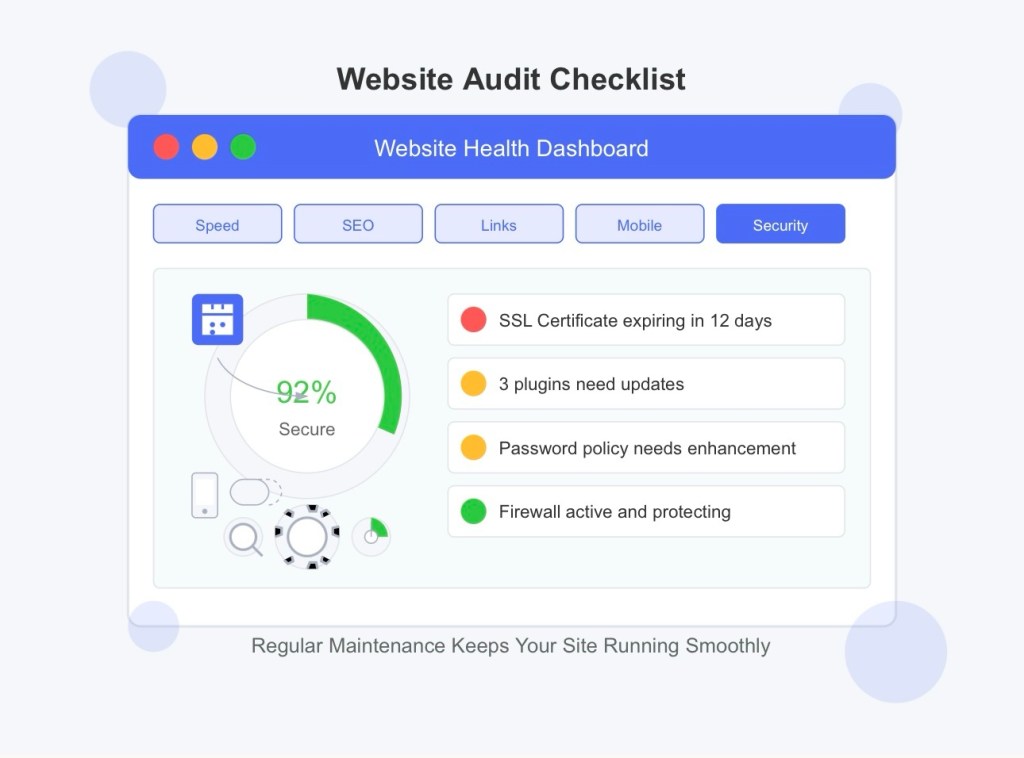
How often do you check in on your site? Try setting a reminder for your first audit this week—you’ll be amazed at what you find!
🌐 Home | Blog | About Us | Contact| Resources
📱 Follow us: @RiseNinspireHub
© 2025 Rise&Inspire. All Rights Reserved.
Word Count:884
Discover more from Rise & Inspire
Subscribe to get the latest posts sent to your email.
