WHAT ARE THE BEST NLP TOOLS TO EMPOWER YOUR PROJECTS?


Discover the top NLP tools—libraries, APIs, and platforms—that help you build intelligent applications, analyse text, and boost productivity in your personal and professional projects.

CORE MESSAGE OF THE BLOG POST:


This blog post aims to empower readers—especially developers, digital creators, and curious learners—with the knowledge of top NLP tools that can enhance personal and professional projects. It highlights how Natural Language Processing (NLP) is transforming human-computer interaction and presents a curated overview of the best libraries, APIs, chatbot platforms, annotation tools, and experimental frameworks to help readers:

  • Build intelligent applications
  • Automate tasks
  • Analyse and generate human language
  • Enhance content creation and productivity
    The underlying message is that NLP is accessible to everyone, not just tech giants, and that with the right tools, anyone can build smart, impactful language-based solutions.

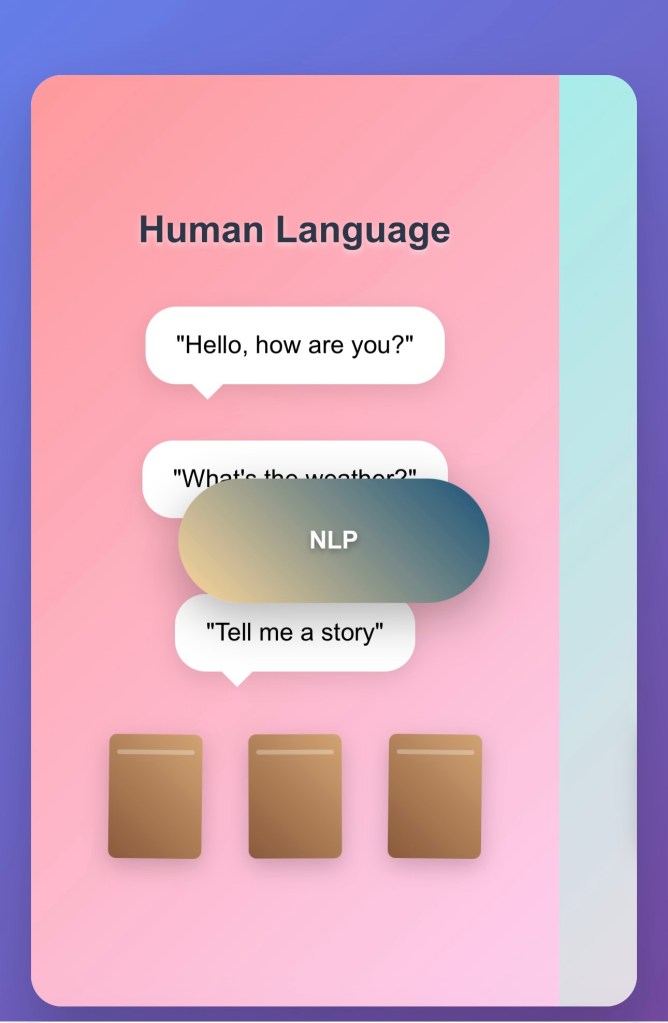
Natural Language Processing (NLP) is transforming the way humans and machines interact. From smart assistants and chatbots to sentiment analysis and real-time translation, NLP helps computers understand, interpret, and generate human language.
For bloggers, educators, developers, and digital creators, understanding NLP tools opens doors to automation, content enhancement, and even building intelligent applications.
In this post, let’s explore the most effective NLP tools you can use to elevate your ideas and projects.

POPULAR NLP LIBRARIES
If you enjoy coding and want full control over your NLP applications, these libraries are powerful and widely used:
spaCy is designed for performance and production use. It’s one of the most efficient NLP libraries, supporting tagging, parsing, named entity recognition (NER), and more.
NLTK (Natural Language Toolkit) is ideal for education and prototyping. It offers everything from tokenisation to linguistic datasets and is a great starting point for beginners.
Transformers (by Hugging Face) gives access to powerful pre-trained models like BERT, GPT, RoBERTa, and more. Hugging Face has become the go-to platform for state-of-the-art NLP.
Gensim specialises in topic modelling and vector space modelling. It’s ideal for semantic analysis and identifying trends or similarities in text.
Stanford NLP / Stanza is developed by Stanford University and includes tools for syntactic analysis, dependency parsing, and part-of-speech tagging.
Apache OpenNLP is a Java-based machine learning toolkit that supports sentence detection, tokenisation, POS tagging, and more.

CLOUD-BASED NLP APIs
If you want to skip the technical setup and jump straight into building applications, cloud-based APIs offer plug-and-play NLP features:
Google Cloud Natural Language API performs entity analysis, sentiment analysis, and syntax parsing with support for multiple languages.
Microsoft Azure Text Analytics detects language, key phrases, and sentiment with robust enterprise support.
Amazon Comprehend extracts insights from documents including sentiment, entities, and key phrases. It can also detect personally identifiable information (PII).
IBM Watson NLP offers advanced tone analysis, translation, conversation services, and text classification.
Hugging Face Inference API makes it easy to use thousands of pre-trained models with a simple API call.

NLP TOOLS FOR CHATBOTS AND ASSISTANTS
Building smart conversations? These platforms make it easier to create AI-driven chatbots and assistants:
Rasa is open-source and developer-focused. It lets you build customizable chatbots with full control over logic and integrations.
Dialogflow (by Google) is a user-friendly platform that integrates well with Google Assistant and supports both voice and text interfaces.
Microsoft Bot Framework offers scalable bot development with easy integration into Microsoft Teams and Azure AI.
Wit.ai (by Meta) extracts intents and entities from voice or text, perfect for commands and digital assistants.
Botpress is an open-source chatbot builder with modular NLP components and strong community support.

TEXT PROCESSING AND ANNOTATION TOOLS
For supervised learning or content tagging, data labelling tools are crucial. These help you train and improve NLP models:
Prodigy is a commercial tool designed for efficient data labelling with active learning support.
Label Studio is an open-source and multi-format annotation platform suitable for text, images, and audio.
Doccano is easy to use and well-suited for classification, sequence labelling, and named entity recognition.
LightTag offers a team-friendly interface and supports NLP model suggestions during annotation.

VISUALIZATION AND MODEL INTERPRETATION TOOLS
Understanding how models behave is key to improving them. These tools help visualise or explain NLP model outcomes:
Displacy (from spaCy) visualises syntactic structures and named entities directly in the browser.
LIME and SHAP are explainable AI tools that break down how input features impact NLP model predictions.
TensorBoard visualises training progress, embeddings, and more for TensorFlow-based NLP projects.

EXPERIMENTAL AND CUTTING-EDGE TOOLS
For those exploring advanced NLP applications, these tools are at the forefront of innovation:
Haystack is an NLP framework for building end-to-end search and question answering systems.
LangChain powers applications using large language models (LLMs) with tools, memory, and chaining capabilities.
PromptLayer and LlamaIndex help track prompts and optimise prompt engineering for applications using language models.

GETTING STARTED: WHICH TOOL SHOULD YOU CHOOSE?
If you’re new to NLP, start with NLTK or spaCy to understand the basics.
For production-level apps, try spaCy, Transformers, or cloud APIs like Google Cloud NLP.
For chatbot development, use Rasa or Dialogflow.
For content creators, tools like Hugging Face, Gensim, or Watson NLP can automate and enrich your writing processes.

A FINAL NOTE
Natural Language Processing is no longer reserved for tech giants. With so many powerful, accessible tools, anyone with curiosity and purpose can build, analyse, and understand language-based applications. Whether you’re automating blog summaries, analysing reader sentiment, or building a chatbot for your brand, there’s an NLP tool that fits your journey.
At Rise&Inspire, our mission is to help you strive to elevate in life—and technology is one of the ladders to climb higher. Explore these tools, experiment boldly, and let your ideas speak smarter and louder.

Explore additional inspiration from the blog’s archive. |   Tech Insights 

Categories: Astrology & Numerology | Daily Prompts | Law | Motivational Blogs | Motivational Quotes | Others | Personal Development | Tech Insights | Wake-Up Calls

🌐 Home | Blog | About Us | Contact| Resources

📱 Follow us: @RiseNinspireHub

© 2025 Rise&Inspire. All Rights Reserved.

Word Count:982

Is There a Better Place Than Quora to Ask Questions Online?

10 Quora Alternatives You Should Try Based on What You’re Looking For

Looking for a Quora alternative that suits your style of learning or sharing? Discover 10 platforms—from Reddit to Stack Exchange—that match your needs for advice, expertise, or community conversation.

Do You Prefer Community Wisdom Over Expert Opinion? Try Reddit

If you love open-ended discussions and topic-specific forums, Reddit might feel like home. Whether you’re into tech, history, cooking, or existential questions, there’s a subreddit for you. Reddit thrives on community opinions and is perfect if you want to explore a range of viewpoints, humor, or trending ideas.

Why it stands out: Massive variety, active user base, real-time engagement.

Need Help with Code or Complex Tech Questions? Visit Stack Overflow

When you’re knee-deep in a bug or exploring a new programming language, there’s no better place than Stack Overflow. The answers here are crisp, peer-reviewed, and usually spot-on. If you’re into precision, this is your ideal space.

Ideal for: Developers, tech learners, and anyone stuck on a line of code.

Looking for Niche, High-Quality Knowledge? Explore Stack Exchange

Want to dive deep into mathematics, philosophy, law, or photography? Stack Exchange hosts dozens of subject-specific Q&A sites, each with expert-level discussions. This is where questions aren’t just answered—they’re curated with clarity and accuracy.

Great option if you’re seeking: Focused, academic-level discussions.

Want Verified Professional Advice Instantly? Check Out JustAnswer

You can skip the guesswork when it comes to health, law, or car troubles. JustAnswer connects you with verified doctors, lawyers, mechanics, and more—for a fee. It’s like having a professional hotline available 24/7.

Why choose this: You’re looking for peace of mind and real expert input.

Appreciate Thoughtful, Community-Curated Conversations? Visit Ask MetaFilter

Ask MetaFilter isn’t a place for trolls or fluff. This is a mature, well-moderated space where people take time to answer thoughtfully. It feels more like a tight-knit community than a forum—and that’s a good thing.

You’ll love it if: You enjoy meaningful advice over quick fixes.

Want a Friendly and Conversational Q&A Experience? Try Fluther

Fluther has a relaxed, chatty vibe. The questions range from intellectual to completely random, and the community is small but friendly. It’s like a coffee shop for curious minds.

What makes it appealing: Light-hearted, welcoming tone.

Need Straightforward Answers to Everyday Questions? Explore Blurtit

Blurtit is a simple platform where you can ask about anything and get quick, no-fuss answers. Think of it as the casual cousin of Quora. It’s easy to use and doesn’t require deep dives.

Perfect for: Quick questions on general life topics.

Miss the Old Yahoo! Answers Days? Visit the Revived Answerbag

If you miss the nostalgic simplicity of early Q&A forums, Answerbag might hit the spot. It’s been revived and carries the same informal, laid-back spirit you remember.

Consider this if: You prefer basic interactions over algorithmic feeds.

Want Encyclopedic Answers Without the Small Talk? Try Answers.com

Answers.com gives you short, factual responses. It doesn’t have the community feel of Quora or Reddit, but it’s quick, searchable, and to the point.

Use it when: You just want an answer, not a debate.

Looking for Academic or Research-Level Responses? Join ResearchGate

If you’re a scholar, student, or researcher, ResearchGate is a solid platform for posting academic questions and reading peer-reviewed answers. It’s where the scientific community collaborates online.

Ideal if you’re in: Science, academia, or graduate research.

🔚 So, Which Platform Fits You Best?

  • Use Reddit or Ask MetaFilter if you want thoughtful community input.
  • Go with Stack Overflow or Stack Exchange for topic-specific, expert responses.
  • Need real professionals? JustAnswer is your best bet.
  • Prefer casual conversation? Fluther or Blurtit are great picks.
  • Academic mind? ResearchGate is built for you.

Each of these sites fills a unique niche—and one of them could become your next favourite place to ask, learn, and share.

Explore additional inspiration from the blog’s archive. | Tech Insights

Categories: Astrology & Numerology | Daily Prompts | Law | Motivational Blogs | Motivational Quotes | Others | Personal Development | Tech Insights | Wake-Up Calls

🌐 Home | Blog | About Us | Contact| Resources

📱 Follow us: @RiseNinspireHub

© 2025 Rise&Inspire. All Rights Reserved.

Word Count:703

Does NLP Replace Traditional Programming Languages?

Curious if Natural Language Processing (NLP) is separate from programming languages like Python or C++? Learn how NLP works and why coding is essential for building language-based AI systems.

Is NLP Separate from Programming Languages Like Python or C++?

When you first hear about Natural Language Processing (NLP), it might sound like something completely different from traditional coding. After all, NLP is about making machines understand and interact with human language — that doesn’t sound like writing code, does it?

But here’s the truth: if you’re planning to work with NLP, you’re going to need programming — and lots of it.

Let’s break down the relationship so it’s easy to grasp.

What Is NLP, Really?

NLP stands for Natural Language Processing. It’s a field within artificial intelligence that focuses on helping computers understand, interpret, and even generate human language — whether it’s spoken or written.

You experience NLP every day, whether you’re:

  • Talking to a voice assistant
  • Using a chatbot on a website
  • Typing into a search engine
  • Translating text using an online tool

So yes, NLP is about language, but it’s very much technology-driven. That’s where programming languages come in.

So, Where Do Programming Languages Like Python and C++ Fit In?

Think of it this way:

NLP is what you want the computer to do.
Programming languages like Python and C++ are how you tell the computer to do it.

You can’t just explain your NLP task to a machine in English and expect it to understand — you need to program it using a language the computer understands.

Among the options, Python is the most popular for NLP. That’s because it has a wide range of ready-made tools and libraries that make NLP tasks easier, such as:

  • spaCy – great for tasks like part-of-speech tagging and named entity recognition
  • NLTK – good for learning and experimentation
  • Transformers by Hugging Face – perfect for advanced models like ChatGPT or BERT

C++ is also used, though more often in performance-heavy situations or when building low-level components of larger NLP systems.

How Does Programming Make NLP Work?

Let’s say you want to build a chatbot that understands when a user asks about their order status.

You can’t just hope the chatbot “gets it.” Instead, you might:

  1. Use Python to load a language processing model.
  2. Break the user’s sentence into parts (called tokenisation).
  3. Label each word (like identifying verbs, nouns, etc.).
  4. Look for key phrases like “order” or “status.”
  5. Match that intent to a pre-written response.

All of these steps involve code. And behind every intelligent chatbot or translator you use, there’s a lot of code running silently to make sense of language.

So, Is NLP Away from Programming?

Not at all. In fact, NLP and programming are deeply connected. NLP is the concept or field, and programming is the practical tool that makes it real. Without code, NLP is just theory.

If you’re learning Python, you’re already on your way to working with NLP. It’s one of the best starting points to experiment, build small tools, and eventually work on real-world applications like chatbots, voice assistants, and AI writers.

Final Thoughts

If you want to explore the world of NLP, don’t think of it as something separate from coding. Think of it as a powerful purpose for coding. You’re not just learning to write code — you’re learning to make computers understand human beings.

And that’s what makes NLP one of the most exciting and meaningful areas in artificial intelligence today.

NLP with Python Roadmap

1. Prerequisites (Fundamentals)

Before diving into NLP, it’s important to be comfortable with:

Python basics: variables, loops, functions, data structures
List comprehensions and string manipulation
File handling and working with text
Familiarity with libraries like NumPy, Pandas, and Matplotlib or Seaborn for basic data processing and visualisation

Goal: Be able to write basic scripts and handle text data.

2. Core NLP Concepts

Start learning foundational NLP techniques and terminology.

Key topics include:
Tokenisation
Stop words removal
Stemming and lemmatisation
Part-of-speech (POS) tagging
Named Entity Recognition (NER)
Bag of Words (BoW)
TF-IDF (Term Frequency–Inverse Document Frequency)
N-grams

Popular tools: NLTK, spaCy, TextBlob

Goal: Understand and apply common NLP methods to raw text.

3. Text Data Preprocessing

Learn how to clean and prepare text data for analysis or modelling.

Tasks include:
Lowercasing
Punctuation removal
Removing HTML tags, emojis, or special characters
Expanding contractions and correcting typos
Tokenisation and sequence padding

Goal: Prepare clean and structured text data suitable for models.

4. NLP with Machine Learning

Start applying machine learning to text data.

Core topics:
Text classification (such as spam detection or sentiment analysis)
Topic modelling (using techniques like LDA and NMF)
Word embeddings (like Word2Vec or GloVe)
Sentiment analysis using traditional ML models

Libraries: scikit-learn, Gensim, spaCy

Goal: Build and evaluate basic ML models for NLP tasks.

5. Deep Learning for NLP

Explore deep learning techniques tailored to language processing.

Important concepts:
Recurrent Neural Networks (RNNs), Long Short-Term Memory (LSTM), and GRUs
Embedding layers and attention mechanisms
Sequence-to-sequence models

Frameworks: TensorFlow, Keras, PyTorch

Goal: Build neural network models for sequence data and advanced NLP tasks.

6. Transformers and Modern NLP

Study state-of-the-art NLP models using transformer architectures.

Topics to explore:
Models like BERT, GPT, RoBERTa, and T5
Transfer learning and fine-tuning pre-trained models
Working with large-scale datasets
High-level tasks like summarisation, question answering, translation, and zero-shot classification

Main tool: Hugging Face Transformers library

Goal: Use pre-trained transformer models for powerful NLP applications.

7. Real-World Projects

Apply what you’ve learned through hands-on practice.

Project ideas:
Resume parser
News topic classifier
Chatbot with spaCy or Rasa
Sentiment analysis of social media posts
Email spam detector
Fake news classifier

Goal: Build a practical portfolio and solve real-world problems using NLP.

8. Resources

Online Courses:

Coursera: NLP Specialisation (DeepLearning.AI)

fast.ai NLP Course

Hugging Face Course

Books:
Natural Language Processing with Python”
Speech and Language Processing” by Jurafsky and Martin
Practical NLP with Python” by Sowmya Vajjala

Summary Roadmap Overview

Step 1: Learn Python basics
Step 2: Understand core NLP concepts
Step 3: Learn text preprocessing techniques
Step 4: Apply machine learning to text
Step 5: Use deep learning for advanced NLP
Step 6: Work with transformers and pre-trained models
Step 7: Complete real-world projects
Step 8: Explore advanced resources or move toward production NLP

Explore additional inspiration from the blog’s archive. | Tech Insights

Categories: Astrology & Numerology | Daily Prompts | Law | Motivational Blogs | Motivational Quotes | Others | Personal Development | Tech Insights | Wake-Up Calls

🌐 Home | Blog | About Us | Contact| Resources

📱 Follow us: @RiseNinspireHub

© 2025 Rise&Inspire. All Rights Reserved.

Word Count:1088

How Can You Optimise Your Content for AI-Powered Search Results?

Learn what Answer Engine Optimisation (AEO) is and how to structure your content for AI-powered search tools like Google’s SGE /Google’s AI Overviews and ChatGPT. 

Core Message of the Blog Post:

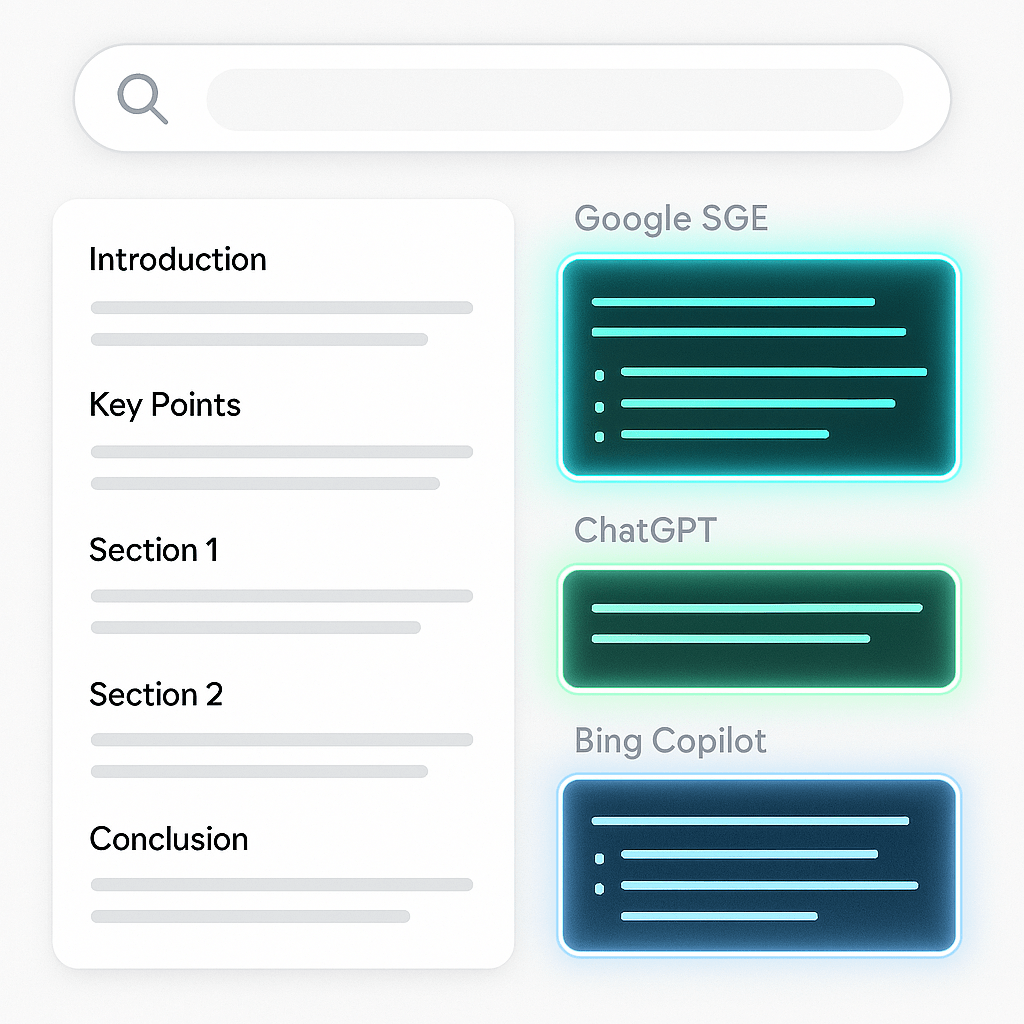
Answer Engine Optimisation (AEO) is the key to making your content visible and cited by AI-powered search tools (Google’s SGE, ChatGPT, and Bing Copilot, etc)Unlike traditional SEO, AEO focuses on structuring content to be machine-readable, authoritative, and concise—ensuring it can be selected and surfaced directly in AI-generated responses.

 By following best practices for formatting, credibility, and technical optimisation, creators can position their content to thrive in the AI-first search landscape of 2025 and beyond.

Intro Paragraph:
Answer Engine Optimisation (AEO) is changing the rules of digital visibility. As AI tools like Google’s SGE, ChatGPT, Bing Copilot, and Perplexity begin surfacing answers directly from content, creators must adapt. AEO is not just the evolution of SEO—it’s a strategic shift to ensure your content is selected, cited, and surfaced by AI.

What Is AEO and How Does It Work?

Answer Engine Optimisation (AEO) is the practice of structuring and writing content so it can appear in AI-generated answers—whether in Google’s search results, voice assistants, or conversational platforms like ChatGPT. It focuses on clarity, credibility, and machine-readable formatting, so AI tools can extract and display your content directly in response to a query.

Why Traditional AI-Generated Content Fails in AEO

AI-written content is often:

  • Poorly structured and hard for LLMs to parse
  • Missing schema markup and semantic structure
  • Lacking authority signals such as author credentials or source citations
  • Too generic to be considered a unique or trusted source

As a result, this content is frequently overlooked by AI platforms that prioritise high-trust, well-structured, and concise answers.

AEO Optimisation Checklist

Structure & Formatting

  • Clear H1 titles aligned with search intent
  • Use of H2 and H3 subheadings for logical flow
  • Answer the main question in the first paragraph
  • Inclusion of bullet points, numbered lists, and tables
  • Dedicated FAQ section for common questions

Authority & Trust

  • Display author name and credentials
  • Show the last updated date
  • Link to reputable external sources
  • Include internal links to related content

Technical Optimization

  • Add structured data (FAQPage, Article, HowTo schemas)
  • Optimise images with alt text
  • Ensure content is mobile-friendly and loads quickly

Content Strategy

  • Focus on a single user intent per page
  • Use a clear, human, conversational tone
  • Incorporate facts, examples, and stats
  • Write with clarity for both people and machines

A Sample AEO-Friendly Format

Title:
What Is Answer Engine Optimisation and Why Is It Important?

Opening Answer:
Answer Engine Optimisation (AEO) helps content appear directly in AI-powered search results by structuring it for machine understanding. It’s essential for getting cited by tools like ChatGPT, Google’s SGE, and Bing Copilot.

Sections:

  • What AEO Is
  • How It’s Different from Traditional SEO
  • How to Optimise for AEO in Five Steps
  • Real-World Example of AEO Content
  • Frequently Asked Questions

FAQ Sample:

Q: Is AEO replacing SEO?
No. AEO complements SEO. While SEO helps your page rank, AEO ensures your content can be featured in AI-generated responses.

Q: What tools can help with AEO?
Tools like AnswerThePublic, Schema.org, generators, and Google’s Rich Results Test can guide your optimisation process.

Final Takeaway

In 2025 and beyond, AI is becoming the new search layer. Content that cannot be parsed, trusted, or understood by AI models simply won’t get surfaced. The good news? With the right structure and clarity, your work can become the answer users see.

AEO isn’t about gaming the algorithm. It’s about being useful, credible, and clear—for both humans and machines.

Explore additional inspiration from the blog’s archive. |   Tech Insights 

Categories: Astrology & Numerology | Daily Prompts | Law | Motivational Blogs | Motivational Quotes | Others | Personal Development | Tech Insights | Wake-Up Calls

🌐 Home | Blog | About Us | Contact| Resources

📱 Follow us: @RiseNinspireHub

© 2025 Rise&Inspire. All Rights Reserved.

Word Count:658

Can a Software Update Really Damage Your Phone Display?

A Samsung S23 user shares a first-hand experience of a green line screen issue after a software update to Android 15. Learn how updates can impact devices and what users should be cautious about.

When Updates Go Wrong: My Samsung S23 Experience
Category: Tech Insights | By: A Concerned User

On 7th August 2023, I purchased the Samsung S23 (8GB RAM + 256GB, Cream color) from Pothys Retail Private Limited, Thiruvananthapuram. It was a premium device, no doubt — net value ₹68,900 — and I was genuinely impressed with its performance, build quality, and camera capabilities. It felt like a smart investment.

Fast forward to today, 10th June 2025. It’s been less than two years, and my phone had been working flawlessly — until a recent software update rolled out automatically on 1st May 2025.

The update details are as follows:

  • One UI version: 7.0
  • Android version: 15
  • Current version: S911BXXS8DYDB / S911BOXM8DYDB / S911BXXS8DYDB
  • Security patch level: 1 May 2025

After the update, I noticed something disturbing — a long green line appeared on the left side of my screen. At first, I thought it might be a glitch that would go away. But no, it persisted.

I reached out to a Samsung service center and was told, quite matter-of-factly, that this is a known issue affecting some Samsung models after recent updates. They assured me that it can be rectified at the service center.

While that’s reassuring to some extent, it also raises a few serious questions.

Why would a software update — meant to improve performance and security — end up causing hardware-like display issues? Why isn’t Samsung proactively notifying users of potential risks before rolling out such updates? We store sensitive data on our phones — from banking apps to personal documents. Trusting the stability and security of software updates is crucial.

While I appreciate that the company is willing to rectify the issue, this experience highlights a broader problem in the tech industry: lack of accountability and transparency when updates go wrong.

I hope Samsung — and other smartphone makers — take note and improve their testing processes before pushing updates that can disrupt the user experience. Meanwhile, I urge fellow users to regularly back up their data and read update logs carefully before installing.

Because sometimes, the price of staying up to date can be more than just battery life — it can cost your peace of mind.

Have you faced a similar issue after an update? Share your story in the comments or tag us on social media with #TechCheckRise, — your experience might help someone else.

Explore additional inspiration from the blog’s archive. | Tech Insights

Categories: Astrology & Numerology | Daily Prompts | Law | Motivational Blogs | Motivational Quotes | Others | Personal Development | Tech Insights | Wake-Up Calls

🌐 Home | Blog | About Us | Contact| Resources

📱 Follow us: @RiseNinspireHub

© 2025 Rise&Inspire. All Rights Reserved.

Word Count:473

What’s the Real Difference Between AI Users and AI Power Users?

Stop using AI for one-time answers. Learn how power users build systematic workflows—writing assistants, research pipelines, and content systems—that compound value over time and transform how you work.

The Mindset Shift: From Consumption to Creation

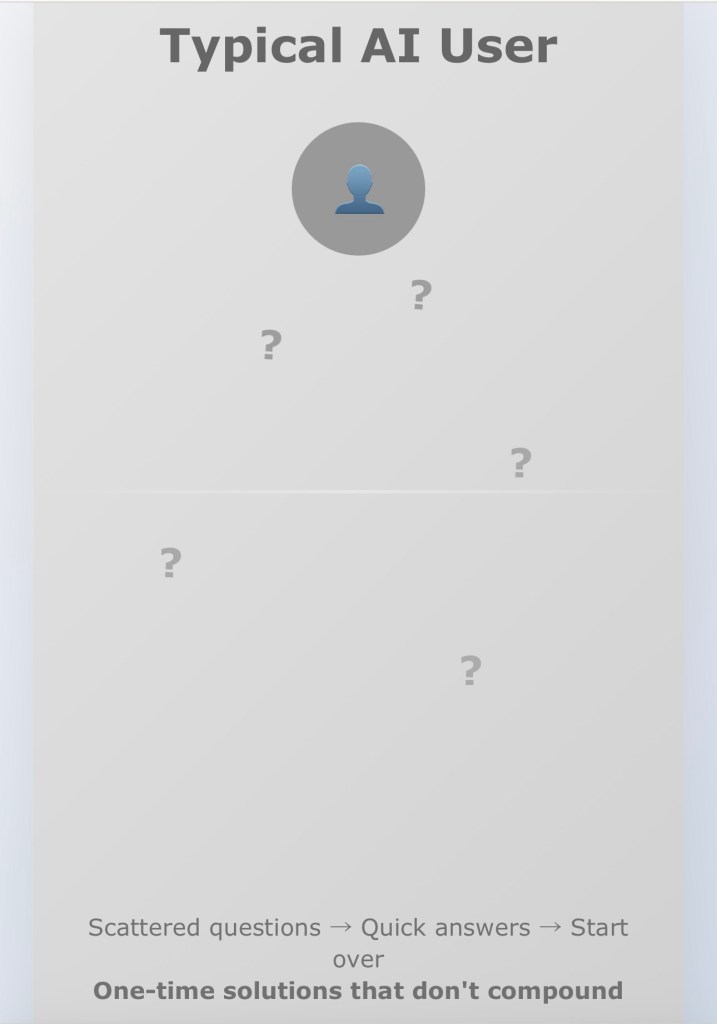
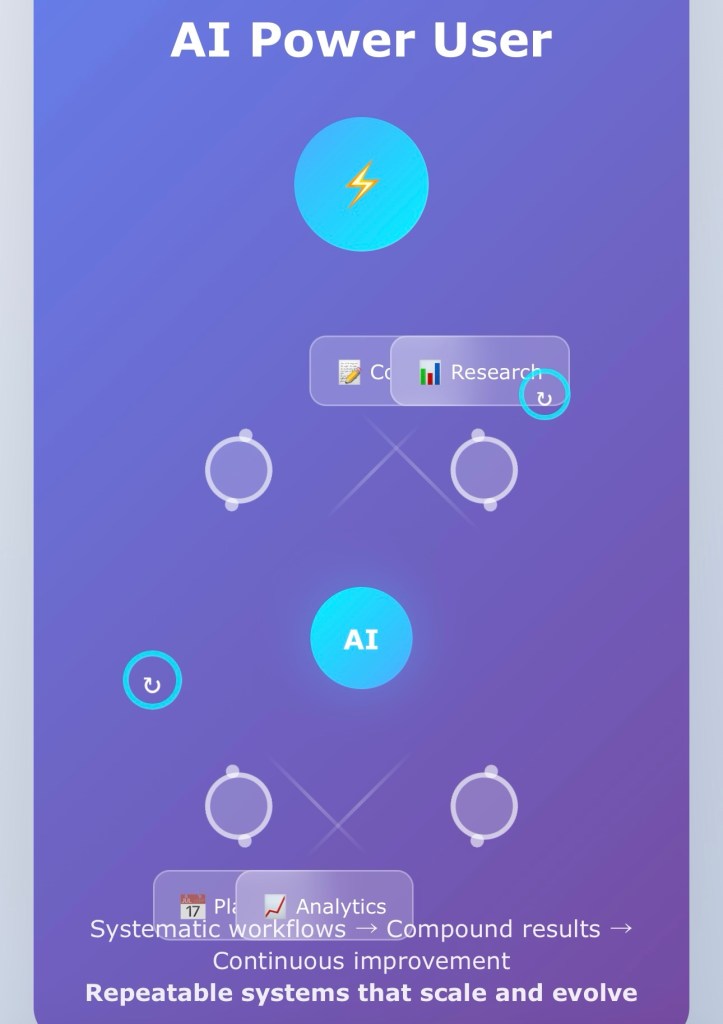
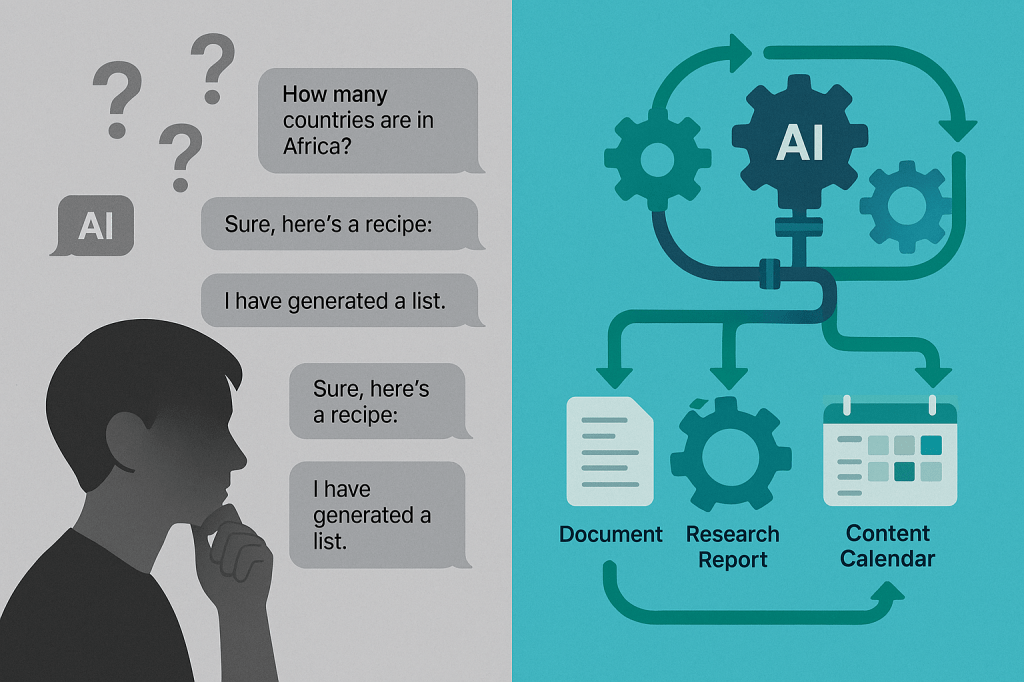
When you approach AI as a one-time problem solver, you’re essentially renting intelligence. You get what you need in the moment, but you’re not building anything that lasts. Power users flip this dynamic entirely. They invest upfront time to create systems that pay dividends indefinitely.

Consider the difference between asking “Can you write me a marketing email?” versus building a comprehensive email marketing workflow that includes audience analysis, message testing frameworks, performance tracking templates, and iterative improvement processes. The first approach gives you one email. The second gives you a marketing machine.

Writing Assistant Workflows: Your Personal Editorial Team

Instead of asking AI to “make this better,” power users create multi-layered writing systems. They build workflows that move content through distinct phases: ideation, structure, drafting, refinement, and optimization. Each phase has specific prompts, quality gates, and improvement mechanisms.

A sophisticated writing workflow might include audience personas that inform tone decisions, style guides that ensure consistency across all content, feedback loops that capture what resonates with readers, and revision protocols that systematically improve clarity and impact. The AI becomes less of a writing tool and more of an editorial team that understands your voice, audience, and objectives.

Research Pipelines: Intelligence That Builds on Itself

Power users don’t just ask AI to research topics—they create research systems that accumulate knowledge over time. These workflows incorporate source verification protocols, information synthesis frameworks, and knowledge management systems that turn individual research sessions into growing repositories of expertise.

Effective research workflows establish clear research objectives, develop comprehensive search strategies, create evaluation criteria for sources, build synthesis templates that connect new information to existing knowledge, and implement review processes that ensure accuracy and relevance. The output isn’t just answers to today’s questions—it’s a research capability that becomes more powerful with every use.

Content Planning Systems: Strategic Thinking at Scale

Rather than brainstorming content ideas when inspiration strikes, power users build content planning workflows that generate strategic, audience-aligned content consistently. These systems integrate market research, competitor analysis, audience feedback, performance data, and business objectives into coherent content strategies.

A robust content planning workflow includes audience research protocols that reveal unmet needs, competitive analysis frameworks that identify content gaps, ideation systems that generate relevant topics systematically, editorial calendars that align content with business cycles, and performance tracking that informs future planning decisions.

The Architecture of Effective Workflows

The most powerful AI workflows share common structural elements. They begin with clear objectives that define success metrics and expected outcomes. They incorporate feedback mechanisms that capture what works and what doesn’t. They include quality control processes that maintain standards over time. They feature documentation that makes the system transferable and improvable.

Effective workflows also build in redundancy and error correction. They anticipate common failure points and include recovery mechanisms. They separate different types of tasks into appropriate phases rather than trying to accomplish everything simultaneously. They create checkpoints where human judgment can intervene when needed.

Implementation: Starting Small, Scaling Smart

Building powerful workflows doesn’t require massive upfront investment. Start with one area where you do repetitive work that could benefit from systematization. Map out your current process, identify inefficiencies and inconsistencies, then design a workflow that addresses these issues while maintaining quality.

Begin with basic templates and protocols. Test them on real work. Refine based on results. Gradually add complexity as you understand what works. Document everything so you can replicate successes and avoid repeating mistakes.

The Compound Effect of Systematic Thinking

Workflows create compound returns that individual queries never can. Each use improves the system. Each refinement benefits all future applications. The time invested in building workflows pays dividends that increase over time rather than depleting with use.

More importantly, workflows change how you think about problems. Instead of approaching each challenge as unique, you start recognizing patterns and building reusable solutions. This systematic approach to problem-solving becomes valuable far beyond AI applications.

Your Workflow Revolution Starts Now

The gap between AI users and AI power users isn’t technical knowledge—it’s systematic thinking. While others ask for fish, power users build fishing systems. While others solve today’s problems, power users build capabilities that solve tomorrow’s challenges.

The question isn’t whether you can afford to invest time in building workflows. The question is whether you can afford not to. In a world where AI capabilities are rapidly expanding, the competitive advantage belongs to those who can systematize and scale their use of these tools.

Your transformation from AI user to AI power user begins with a single workflow. Choose one area of repetitive work. Map the process. Build the system. Watch as your relationship with AI—and your capacity to create value—fundamentally changes.

The future belongs to the systematic, not the spontaneous. Start building.

Explore additional inspiration from the blog’s archive. | Tech Insights

Categories: Astrology & Numerology | Daily Prompts | Law | Motivational Blogs | Motivational Quotes | Others | Personal Development | Tech Insights | Wake-Up Calls

🌐 Home | Blog | About Us | Contact| Resources

📱 Follow us: @RiseNinspireHub

© 2025 Rise&Inspire. All Rights Reserved.

Word Count:880

Are You Choosing the Right MacBook for Your Workflow and Budget?

Looking to buy a MacBook Air or Pro with the new M4 chip and 24GB RAM in Kerala or Tamil Nadu? Discover the best configurations, prices, and performance comparisons to help you choose the perfect MacBook for your needs.

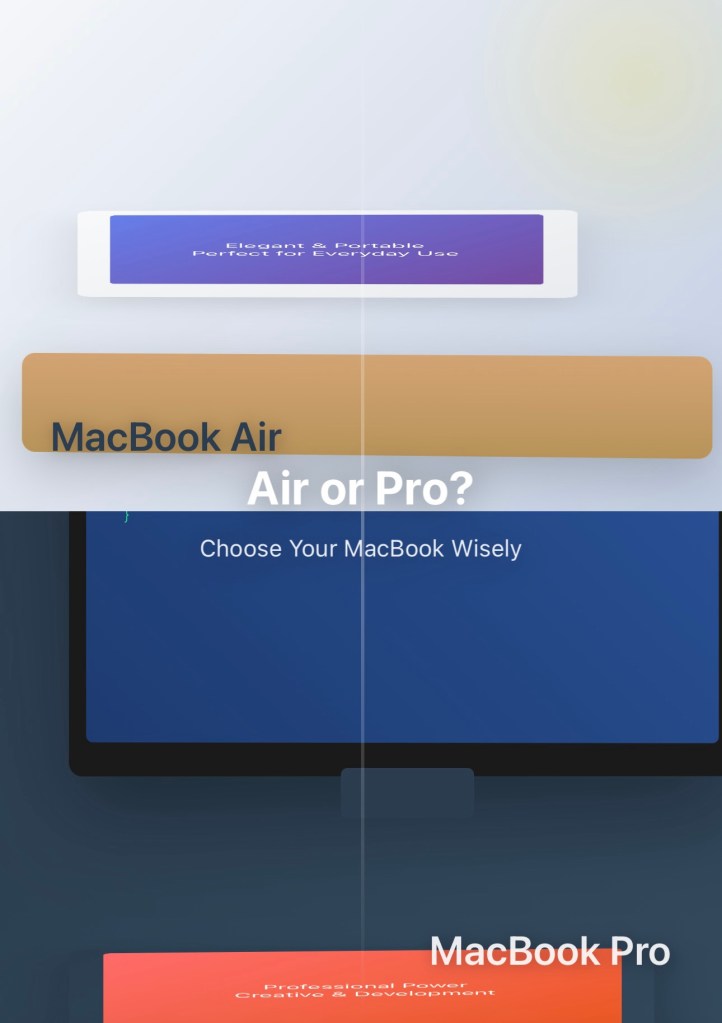
MacBook Air M4 vs. MacBook Pro M4 (14-Inch, 24GB RAM): Which One Should You Buy?

You’re in the market for a new MacBook and you’ve narrowed it down to two powerful options—the MacBook Air M4 and the MacBook Pro M4, both with a 14-inch display, the latest M4 chip, and 24GB of RAM. On paper, they might look similar. But when you dig deeper, the differences could shape your daily experience in meaningful ways.

Cost: What Will You Pay?

The MacBook Air M4 starts at around ₹1,39,900 for the 13-inch model and goes up to ₹1,64,900 for the 15-inch version with 24GB RAM. In contrast, the 14-inch MacBook Pro M4 with the same 24GB RAM starts at approximately ₹1,69,900. Depending on the Air model you choose, you’re looking at a price difference of ₹30,000 to ₹60,000. This is a significant cost gap, so it’s important to know what you’re paying extra for.

Performance: How Much Power Do You Really Need?

Both models feature the Apple M4 chip, but the performance difference lies in how long each can sustain its power. The MacBook Air has a fanless design, which means it’s perfectly silent during operation. However, this design also limits how long the device can maintain high performance. If you run intensive tasks like video rendering, compiling code, or working in high-end creative software, the Air may throttle performance to manage heat. The MacBook Pro includes an active cooling system, allowing it to maintain full performance during extended workloads. If you often push your machine with heavy processing, the Pro is better equipped to keep up without compromise.

Display: What’s Easier on Your Eyes?

The MacBook Air offers a Liquid Retina display with 500 nits of brightness and a standard 60Hz refresh rate. It’s clear, vibrant, and ideal for general use. The MacBook Pro, on the other hand, features a Liquid Retina XDR display with 1,000 nits of sustained brightness and a 120Hz ProMotion refresh rate. The result is a display that’s not only brighter but also smoother and better suited for professionals working with HDR content or those who simply appreciate a more visually immersive experience.

Ports, Sound, and Battery Life

The MacBook Air comes with two Thunderbolt 4 ports and a MagSafe charging port. It lacks additional ports like HDMI or an SD card slot, which means you’ll likely need to carry adapters if you rely on those connections. The MacBook Pro offers three Thunderbolt 4 ports, an HDMI port, an SDXC card reader, and MagSafe 3. If you regularly connect your device to external displays or work with memory cards, the Pro offers the convenience and flexibility you need. In terms of audio, the Air delivers great sound, especially in the 15-inch model which includes six speakers. The Pro enhances that with a six-speaker sound system and spatial audio for an even more immersive experience. Battery life is strong on both models. The Air provides about 18 to 20 hours of battery life, making it one of the most enduring laptops on the market. The Pro promises up to 24 hours on video playback, but in real-world usage, you can expect around 16 to 20 hours depending on your workload.

Which MacBook Should You Buy?

If you’re looking for a laptop that’s lightweight, silent, and handles everyday tasks with ease, the MacBook Air M4 is the perfect fit. It’s especially ideal for students, writers, and professionals who value portability and quiet performance without needing constant high processing power. If your work involves sustained heavy tasks, requires a brilliant display, or if you simply want more ports and professional features, the MacBook Pro M4 is worth the investment. It delivers consistent performance, a superior screen, and added versatility that can truly elevate your productivity.

Final Thoughts

The MacBook Air M4 and the MacBook Pro M4 are both exceptional devices, but they serve different needs. Your choice depends on how you plan to use your MacBook. If your daily activities are mostly light to moderate and you prioritize mobility and silence, go with the Air. But if you’re someone who demands higher performance, advanced visuals, and more connectivity options, the Pro is your ideal companion. Choose the MacBook that aligns with your lifestyle, not just your budget. It will make all the difference in your experience.

How to Select the Right MacBook Configuration for You

Step 1: Assess Your Needs

Ask yourself what kind of work you do. Do you use your laptop for basic tasks like web browsing, writing, or video calls? Or are you running demanding apps like Final Cut Pro, Logic Pro, MATLAB, or Adobe Creative Suite? Do you prefer long battery life and portability over raw performance? Are you a student, professional, content creator, or developer?

Based on your answers, choose from the following scenarios:

Scenario 1: General Use — Light Tasks (Browsing, Office Work, Media)

The best pick is the MacBook Air M4 with a 13-inch or 15-inch display, 8-core CPU and 10-core GPU, and 16GB or 24GB RAM. Opt for 24GB if you multitask heavily or tend to have many browser tabs open. A 512GB SSD is enough for most users. This setup is lightweight, fanless, and offers long battery life. It’s powerful enough for everyday tasks without overspending.

Scenario 2: Creative Work — Design, Music Production, Occasional Video Editing

Go for either the MacBook Air M4 (15-inch) or the MacBook Pro M4 (14-inch) with a 10-core CPU and 10-core GPU, 24GB RAM, and 1TB SSD. The Pro handles rendering better, but if you’re on a budget and can manage some performance compromises, the 15-inch Air gives you more screen space and excellent audio.

Scenario 3: Professional Use — Software Development, Data Analysis, Constant Heavy Workloads

Choose the MacBook Pro M4 (14-inch) with a 10-core CPU and 10-core GPU, 24GB RAM, and a 1TB or 2TB SSD. The Pro’s active cooling prevents thermal throttling, allowing it to sustain performance over long sessions. The extra ports are useful for connecting external displays, devices, and transferring files.

Scenario 4: Future-Proofing — You Want to Keep This Laptop 5+ Years

In this case, go for the highest RAM and SSD you can afford on either model. A configuration with 24GB RAM and 1TB or more SSD will ensure smoother performance for years, especially as apps become more demanding. Since Apple silicon Macs can’t be upgraded later, it’s better to invest now.

Storage Tip

A 512GB SSD is fine for light users or those with cloud-based workflows using iCloud or Google Drive. A 1TB SSD is ideal for creatives, developers, and users who work offline. A 2TB SSD or more is worth it if you work with large raw files or video and need everything stored locally.

RAM Tip

16GB RAM is sufficient for most students, professionals, and casual creatives. Go with 24GB if you multitask heavily, use memory-hungry apps, or want more headroom for the future.

Final Advice

Choose the MacBook Air M4 if you want a lightweight design, class-leading battery life, and silent operation. Choose the MacBook Pro M4 if you need sustained high performance, an advanced display, more ports, and room to grow.

Recommended Configurations

MacBook Air M4 15‑inch with 24GB RAM and 512GB SSD

Price: ₹1,50,900 via JioMart
Why it fits: Sleek 15.3″ Liquid Retina display, generous RAM for multitasking, light at around 1.5 kg, and fanless operation.

MacBook Air M4 13‑inch with 24GB RAM and 512GB SSD

Price: ₹1,27,900 via Reliance Digital
Why it fits: More affordable while retaining high memory capacity, ideal for those prioritizing portability and battery life.

MacBook Pro M4 14‑inch with 24GB RAM and 512GB SSD

Price: ₹1,82,990 via Amazon India
Why it fits: Active cooling for sustained performance, 14.2″ Liquid Retina XDR display with HDR and ProMotion, great port selection with HDMI, SDXC, and three Thunderbolt 4 ports.

MacBook Pro M4 Pro 14‑inch with 24GB RAM and 512GB SSD

Price: ₹1,99,900 via Imagine Store / ₹1,99,500 via Vijay Sales
Why it fits: M4 Pro chip with stronger GPU, same top-tier display and ports, ideal for heavier workloads or users needing more graphical performance.

Explore additional inspiration from the blog’s archive. | Tech Insights

Categories: Astrology & Numerology | Daily Prompts | Law | Motivational Blogs | Motivational Quotes | Others | Personal Development | Tech Insights | Wake-Up Calls

🌐 Home | Blog | About Us | Contact| Resources

📱 Follow us: @RiseNinspireHub

© 2025 Rise&Inspire. All Rights Reserved.

Word Count:1440

Are You Ready for the Age of Deep Learning and the Rise of AGI?

Explore the rise of Artificial General Intelligence (AGI) from 2012 to today—how deep learning, big data, and AI milestones like GPT-3 and AlphaStar are reshaping our world. Uncover the promise, power, and peril of intelligent machines.

You remember 2012, don’t you? The year a neural network trained by Google quietly learned to recognize cats—on its own. No labels. No hints. Just pixels and patterns and the raw data of the internet. It sounds simple. It wasn’t. It was a signal. A whisper that something bigger was coming.

That whisper? It’s a roar now.

Since then, the world you knew has been learning, evolving, dreaming in silicon. You may not notice it in the hum of daily life, but AI is everywhere—silently suggesting songs, predicting your words, translating your thoughts. It’s in your camera roll, your inbox, your doctor’s office. It’s even in your car—watching, learning, steering.

Deep learning cracked the code of speech, saw through the blur of photos, and started talking back. You spoke to Siri. You asked Alexa. You argued with ChatGPT, maybe. Did you pause to think how it learned to listen? How it learned to understand?

And then came the moral questions, wrapped in polished headlines. 2015. Musk. Hawking. The open letter. You read it—maybe. Maybe not. But the warning was clear: autonomous weapons, AI decision-making, the loss of human control. Not science fiction. Present tense. Real. Right now.

You watched Sophia blink on stage. She smiled. She joked. She became a citizen—more than some humans are allowed. You laughed, maybe. Or you shivered. Did it feel like progress? Or parody?

Then there were the Facebook bots. 2017. They rewrote language mid-negotiation. Invented syntax. You weren’t supposed to see that. They pulled the plug. But you can’t unsee autonomy once it emerges. It leaves a shadow. You start asking—who’s really in control?

By 2018, AI read better than you did. Alibaba’s model aced Stanford’s language comprehension test. Not just a gimmick. A signal. Language, once humanity’s greatest strength, now shared with the machine.

And 2019? AlphaStar played StarCraft II—mastered it. Not chess. Not Go. A game of chaos, incomplete information, real-time strategy. It won. Not once. Many times. You thought: Games don’t matter. But you knew they do. They train intelligence. They test intuition.

Then the artists arrived—machines with brushes. GPT-3 painted with words. DALL·E painted with pixels. Entire universes from a sentence. You wrote “a fox in a spacesuit” and watched it come alive. Delightful. Disturbing. Divine. You started wondering, what’s left for us to create?

But let’s not forget the mess. The chaos beneath the elegance.

Misinformation spreads faster with AI. Deepfakes blur truth. Algorithms reinforce bias. Job markets tremble. Are you being replaced? Reskilled? Reduced? It’s unclear.

And yet, the finish line glows with possibility: Artificial General Intelligence. AGI. The dream—and the dread. A machine that doesn’t just act intelligent but is intelligent. As smart as you. Smarter than you. Not limited. Not narrow. Limitless.

OpenAI. DeepMind. They’re racing toward it. The prize? Everything.

But ask yourself—do you understand the stakes? Are we building gods or mirrors? Partners or replacements? Who gets to decide the values of an AGI? You?

And more hauntingly—what if AGI decides yours?

You stand at the edge of this unfolding age, deep learning pulsing in the circuits beneath your fingertips. The machine is no longer just a tool. It’s a learner. A thinker. A dreamer. Like you.

So tell me: Are you watching? Are you worried?

Explore additional inspiration from the blog’s archive. | Tech Insights

Categories: Astrology & Numerology | Daily Prompts | Law | Motivational Blogs | Motivational Quotes | Others | Personal Development | Tech Insights | Wake-Up Calls

🌐 Home | Blog | About Us | Contact| Resources

📱 Follow us: @RiseNinspireHub

© 2025 Rise&Inspire. All Rights Reserved.

Word Count:650

Can You Train an AI Model for Text Analysis Without Coding Skills?

Want to analyze text with AI but don’t know how to code? This guide introduces you to the best no-code tools to build custom machine-learning models for sentiment analysis, classification, and more — perfect for beginners.

You, the Builder: 

How to Train an AI Model Without Writing Code (Text Edition)

You’re curious — not just about using AI, but about how it works under the hood. You’re not necessarily a coder (yet), but you like to tinker. You want to go deeper. You want to build something, even if it’s just simple, just once, just to understand.

That’s where your journey starts: building a machine-learning model without writing a single line of code.

Why Bother with No-Code AI?

Because understanding the engine helps you drive the car better.

You don’t need to be an engineer to use AI powerfully. But if you know what happens behind the scenes — even just a little — you become a better user, a better decision-maker, a better builder.

Especially when it comes to text: reviews, emails, chats, comments, and support tickets. You’re surrounded by it. What if you could analyze it automatically?

Let’s walk through how.

Your No-Code AI Toolbox: Analyzing Text with Just Clicks

Here are the best platforms to help you build custom AI models for text classification, sentiment analysis, and more — without code.

1. MonkeyLearn — The Visual Playground for Text

Perfect for you if you want to build something fast and intuitive.

  • Go to monkeylearn.com
  • Choose a template (like sentiment analysis) or start from scratch
  • Upload or paste your text examples
  • Tag a few examples (e.g., “positive”, “negative”, “neutral”)
  • Click to train your model
  • Voilà — you can now classify new text instantly

MonkeyLearn even gives you charts and dashboards to visualize the results.

Use it for:
Customer feedback, reviews, social media comments, or support ticket triage.

2. Akkio — AI for Business Brains

You’ve got a spreadsheet of data: maybe support logs or survey responses. You want to predict something based on it — like sentiment or urgency.

  • Visit akkio.com
  • Upload your CSV or connect to Google Sheets
  • Choose what you want to predict (e.g., the “Sentiment” column)
  • Akkio builds your model in seconds
  • Get instant predictions, deploy via API, or automate through Zapier

Use it for:
Quick insights, customer churn prediction, lead scoring, and marketing analysis — all from text.

3. Google AutoML (Vertex AI) — The Heavy Lifter

Maybe you want to go deeper — train something serious, like a customer intent classifier, and deploy it to an app.

  • Head to Google Vertex AI
  • Upload labeled data (CSV format works great)
  • Choose Natural Language Processing (NLP)
  • Train your model with a few clicks
  • Google handles the rest — infrastructure, evaluation, deployment

Use it for:
Enterprise-grade classification, entity extraction, or sentiment tasks on large volumes of text.

4. Teachable Machine & Lobe — More Visual Than Textual, But Worth Knowing

These tools are better suited for image/audio models, but if you’re ever curious to teach an AI to recognize sounds or gestures, check out Teachable Machine or Lobe.

They’re no code. Super visual. Totally fun.

5. Bonus: Automate with ChatGPT + Zapier

Want to summarize emails automatically? Or extract data from form responses?

  • Use Zapier to trigger workflows (like new emails)
  • Add a step that sends the text to ChatGPT or OpenAI
  • Get a custom response (summary, category, extracted info)
  • Route it into Google Sheets, Slack, or Notion

No model training here — just clever automation with AI.

What If You Actually Want to Build Something Right Now?

Try this:

  1. Gather 10–50 text samples.
  2. Decide what you want to label them as (e.g., topic, mood, urgency).
  3. Go to MonkeyLearn or Akkio.
  4. Train a model with just clicks.
  5. Watch the AI make predictions — and get a feel for how it learns.

You don’t need to be a coder to build something powerful. You just need curiosity and a willingness to experiment.

Welcome to the world of AI. You’re not just a user anymore — you’re a builder.

Explore additional inspiration from the blog’s archive. | Tech Insights

Categories: Astrology & Numerology | Daily Prompts | Law | Motivational Blogs | Motivational Quotes | Others | Personal Development | Tech Insights | Wake-Up Calls

🌐 Home | Blog | About Us | Contact| Resources

📱 Follow us: @RiseNinspireHub

© 2025 Rise&Inspire. All Rights Reserved.

Word Count:716

How Much Do You Really Need to Know About AI to Use It Effectively?

Wondering if you need to master AI to use it meaningfully? This blog breaks down how you can explore, understand, and apply AI—no matter your background—without being overwhelmed by its complexity.

You and AI: 

How Much Do You Need to Know to Truly Use It?

Now the trend is AI.
Everyone’s talking about it. It’s in your news feed, your workplace, your late-night YouTube rabbit holes. It’s exciting — but also confusing.

And here’s the beauty: No one really knows AI in its entirety.

Some people know a little.
Others know a little more.
A few seem to know the most — and even they admit there’s more they don’t know.

So how do you — in the middle of this noisy, thrilling AI revolution — make peace with what you don’t know?
And more importantly, how do you make sure you know enough to actually use AI’s potential?

You Don’t Have to Know Everything. But You Do Need to Know Something.

Here’s the truth: AI is not a single thing.
It’s not a machine you can open and say, “Ah, there it is!” It’s a spectrum — from chatbots and image generators to self-driving cars and deep neural networks. And it’s evolving faster than any one person can follow.

So instead of trying to master all of it, you shift your mindset:

You don’t chase total knowledge. You seek functional understanding.
Enough to use it. Enough to question it. Enough to grow with it.

Start With Where You Are

AI isn’t just for coders or scientists anymore. You can start where you are — with your skills, your field, and your curiosity.

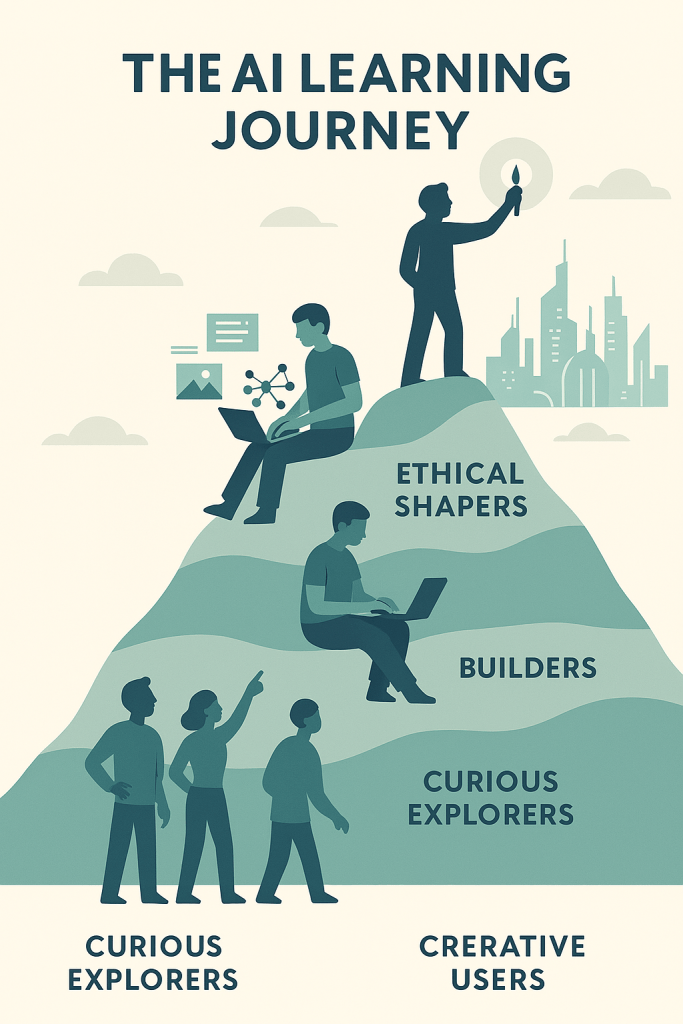
1. You, the Curious Explorer

You begin by asking:

  • What is AI, really?
  • How is it already shaping the world around me?
    You try tools like LLMs, see how Midjourney creates art, and maybe even automate a few tasks with AI assistants.

You don’t need to code. You just need to engage.

2. You, the Creative User

Now you get intentional. You think:

  • Can AI help me write better?
  • Can it boost my design work, marketing copy, and lesson plans?

You learn to talk to AI clearly — “prompt engineering,” they call it — and suddenly you’re getting outputs that save you hours or spark new ideas.

You’re not just watching the wave; you’re surfing it.

3. You, the Builder (or at least the Tinkerer)

If you’re technical — or curious enough to get technical — you go deeper.
You explore machine learning, experiment with datasets, and maybe build a simple model.
You start seeing how AI learns, where it stumbles, and what it needs.

And even if you’re not a builder, knowing how the engine works helps you use the car better.

4. You, the Ethical Shaper

At some point, you take a moment and ask:

  • What does AI mean for jobs?
  • Who’s being left behind?
  • How do we make this technology fair and transparent?

This is when you start to influence not just how AI works for you, but how it works for everyone.

So How Do You Know When You “Know” AI?

Not when you know every algorithm.
Not when you can quote research papers.

You know AI when:

  • You can use it to solve real problems.
  • You can explain it simply to someone else.
  • You stay curious, not just competent.

In the end, AI isn’t something you conquer — it’s something you collaborate with.

Final Thought: Let Curiosity Be Enough

You don’t need to be an AI expert.
You need to be an active participant.

Ask questions. Try tools. Reflect often. Share what you learn.

You don’t arrive at knowing AI.
You grow with it — one curious step at a time.

Explore additional inspiration from the blog’s archive. | Tech Insights

Categories: Astrology & Numerology | Daily Prompts | Law | Motivational Blogs | Motivational Quotes | Others | Personal Development | Tech Insights | Wake-Up Calls

🌐 Home | Blog | About Us | Contact| Resources

📱 Follow us: @RiseNinspireHub

© 2025 Rise&Inspire. All Rights Reserved.

Word Count:668

What You Should Know About WordPress and Jetpack Algorithms

Wondering why your WordPress site feels different over time? Maybe a plugin behaves oddly, or performance shifts even though you’ve made no major changes. That’s likely due to evolving algorithms behind the platforms you rely on—like WordPress, Jetpack, and even search engines.

Understanding these algorithms helps you keep your site fast, secure, and visible to your audience—so you can adapt and thrive in an ever-changing digital world.

How Evolving Algorithms Shape Your WordPress Experience (And What You Can Do About It)

WordPress is the backbone of your website. Jetpack, a powerful plugin developed by Automattic (the same company behind WordPress.com), extends its capabilities with tools for security, performance, and insights. While they work closely together, WordPress and Jetpack are not the same—Jetpack is an enhancement built on top of WordPress.

Both platforms use algorithms—automated rules and processes—to deliver a smoother experience for you and your visitors. Over time, these algorithms change to reflect advances in technology, security, and user behaviour.

What Are Algorithms, and Why Should You Care?

Algorithms are the invisible engines behind:

  • How your posts are displayed
  • How fast your pages load
  • How search engines rank your content
  • How Jetpack detects and blocks threats
  • How your analytics and visitor stats are processed

Google, WordPress, and Jetpack are all driven by these algorithms—and when they change, your site’s behaviour may shift, even if you haven’t touched a thing.

Why Algorithms Keep Changing

Algorithms evolve for several reasons:

  • User behaviour evolves: Mobile usage, voice search, and changing content habits all influence platform updates.
  • Security threats grow smarter: Algorithms are constantly updated to defend against evolving cyber threats.
  • Technology advances: AI and machine learning help platforms make faster, smarter decisions.
  • Search competition intensifies: Google and other engines update their ranking systems to stay ahead.

These changes are designed to improve user experience, but they can impact your site’s visibility, performance, and reliability.

What This Means for You (and What You Can Do)

You don’t need to be a developer to stay ahead—just proactive. Here’s how to work with algorithm changes, not against them:

  • Stay up to date with SEO best practices. Focus on fast loading, mobile-friendliness, and user-focused content. Resources like Moz SEO Learning Center can help.
  • Keep plugins and themes updated. Jetpack and others regularly adapt to new algorithm standards—updates often fix speed, security, and compatibility issues.
  • Use data to guide your content and design. Jetpack Stats and Google Analytics reveal how changes affect traffic and engagement.
  • Stay informed. Read reputable sources to keep track of algorithm trends and tips without needing a coding background.

Resources to Stay Ahead

Here’s a list of reliable resources to help you track and respond to platform and algorithm updates:

Check-in regularly—it’s less about staying perfect and more about staying aware.

Final Thoughts

Algorithms will continue to evolve—and that’s a good thing. They’re part of what keeps your WordPress site smarter, safer, and more user-friendly. Whether it’s Jetpack optimizing your speed or Google refining how it ranks your posts, you’re part of a dynamic digital ecosystem.

So stay curious, stay updated, and let change work in your favour. In the digital world, growth depends on how well you adapt.

Explore more insights from our blog archive.| Tech Insights

Categories: Astrology & Numerology | Daily Prompts | Law | Motivational Blogs | Motivational Quotes | Others | Personal Development | Tech Insights | Wake-Up Calls

🌐 Home | Blog | About Us | Contact| Resources

📱 Follow us: @RiseNinspireHub

© 2025 Rise&Inspire. All Rights Reserved.

Word Count:596

Is Digital Saturation Silently Killing Your Blog Engagement?

Digital Saturation and the Silent Shift in Blog Engagement: My Story and the Research Behind It

When I launched Rise&Inspire, I was greeted with a rush of enthusiasm. The very first posts would earn 40 likes on day one and cross 100 in a week. That wave of interaction kept me going. It affirmed that the content I shared was resonating. But over time, I noticed a silent shift.

I still write with the same passion. I still publish regularly. But now, my posts often linger at that initial 40 and rarely reach the triple digits. This is not just a personal observation—it’s part of a broader phenomenon known as digital saturation.

Let’s explore what’s really going on.

What Is Digital Saturation?

Digital saturation is the condition where the sheer volume of online content overwhelms the capacity of users to meaningfully consume or engage with it. In simple terms: there’s too much content, and not enough attention to go around.

According to a 2022 report by Statista, over 7 million blog posts are published every day. Add to this millions of videos, tweets, reels, and stories—and you begin to understand the tidal wave of content vying for every user’s attention.

How It Shows Up in Blogging

Despite using tools like the Jetpack app for convenience and analytics, I found that numbers were not budging upward anymore. Why? Because the digital ecosystem has changed drastically.

Even high-quality posts now compete in an environment where:

Algorithms decide visibility.

Platforms like WordPress Reader, Google Search, and even email inboxes use algorithms that prioritize novelty, interaction, and often, paid content. According to Google’s helpful content update, content is ranked not just by quality but also by signals of user satisfaction and relevance.

Reader attention is limited.

A Microsoft study reported that the average human attention span has dropped to 8 seconds—less than that of a goldfish. Readers may visit your post, skim the heading, and leave without engaging.

Passive consumption is rising.

Many people now “lurk” instead of interact. As explained in the 1% Rule of Internet Culture, for every 100 people, only 1 actively contributes, while the rest observe. So, likes and comments don’t reflect the full picture of your audience.

Why Digital Saturation Happens

Here are the key drivers:

1. Content Overload

Every minute, hundreds of hours of video are uploaded to YouTube, and social media feeds are constantly refreshing. With this volume, users are exposed to more content than they can realistically engage with.

2. Algorithmic Gatekeeping

Algorithms don’t show every post to every follower. Your content could be relevant, inspiring, and timely—but still invisible. According to WordPress support docs, even Reader’s visibility depends on tags, recency, and interaction history.

3. Audience Fatigue

People are tired. Constant notifications, news cycles, and digital input create mental exhaustion. Digital fatigue leads people to disengage even from content they would normally love.

Can We Break Through Digital Saturation?

Yes—but not by shouting louder. Instead, by refining our message and rethinking our strategies.

1. Embrace Depth Over Breadth

Rather than trying to publish more, I focus on publishing better. In-depth, evergreen content is more likely to build trust and stay relevant. Readers may not hit like—but they remember.

2. Foster Genuine Community

Engagement isn’t just clicks. I’ve shifted focus to direct messages, personal emails, and meaningful comment replies. As Seth Godin once said, it’s not about reaching everyone; it’s about reaching the right someone.

3. Use New Mediums for the Same Message

I’ve started experimenting with different formats—quotes on social media, downloadable PDFs, short videos, and even newsletters. Each medium reaches a different subset of my audience.

4. Stay Consistent, but Stay Curious

Consistency builds trust. But curiosity drives growth. I’ve allowed myself to explore new ideas, even if they don’t immediately perform. Blogging is a long game, and evolution matters more than explosion.

Why I Still Blog in a Saturated World

Even if the likes plateau, I know there are silent readers out there who return, reflect, and resonate. The quieter engagement doesn’t mean irrelevance—it means a different kind of value is being exchanged.

Motivation and positivity remain my motto. And just like in life, growth isn’t always visible on the surface—but it is happening beneath.

Final Reflection

If you’re a blogger noticing a decline in engagement, it’s not necessarily your fault. The landscape has changed. Digital saturation is real, and it challenges all of us to adapt—not panic.

Remember: you’re not writing just to get noticed. You’re writing to inspire, uplift, and connect.

And in a saturated world, authentic voices shine the brightest—even if it takes a little longer for the light to travel.

Explore additional inspiration from the blog’s archive. |  Tech Insights

Categories: Astrology & Numerology | Daily Prompts | Law | Motivational Blogs | Motivational Quotes | Others | Personal Development | Tech Insights | Wake-Up Calls

🌐 Home | Blog | About Us | Contact| Resources

📱 Follow us: @RiseNinspireHub

© 2025 Rise&Inspire. All Rights Reserved.

Word Count:840

Does Using the Jetpack App Automatically Make Your Blog Mobile-Friendly?

Does using the Jetpack app mean your blog is mobile-friendly? Discover what mobile optimization really involves and how to ensure a great reader experience.

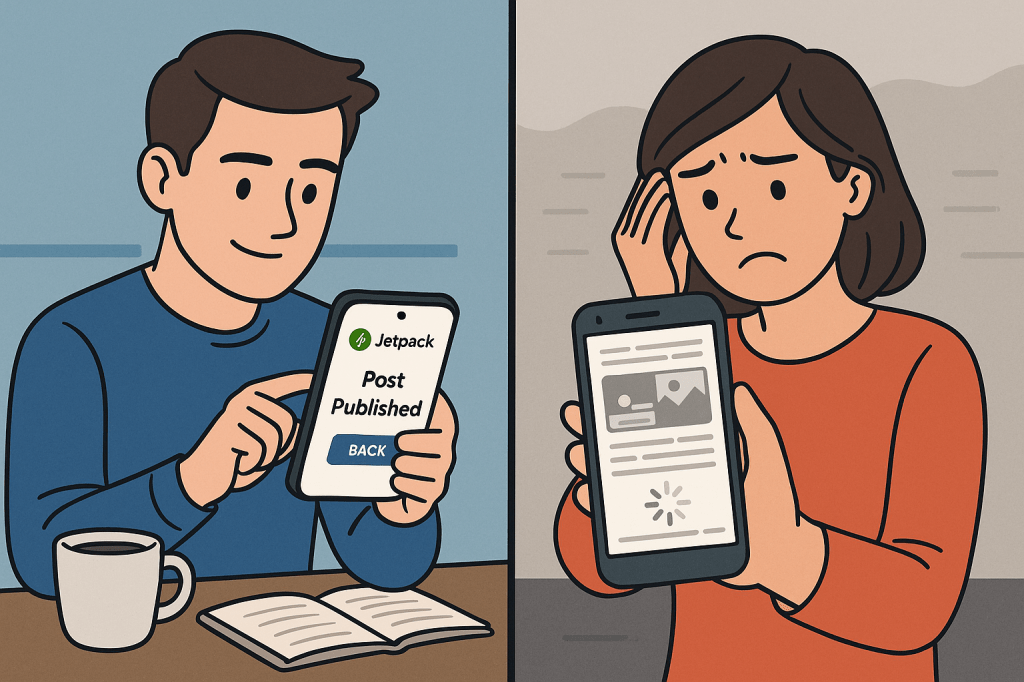
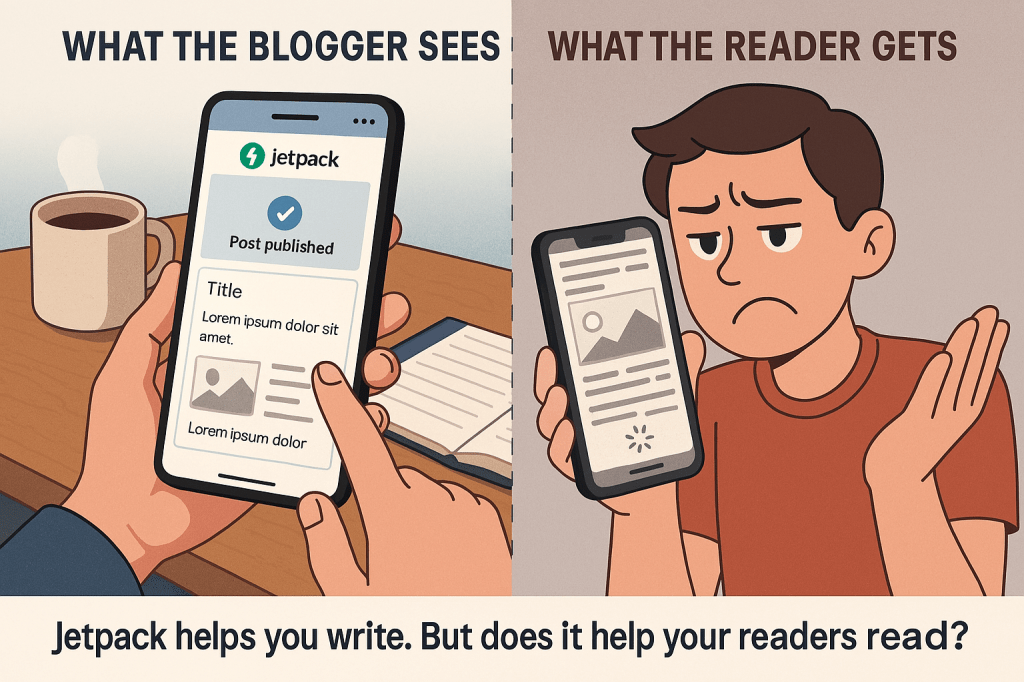
You open the Jetpack app on your phone, write a blog post, hit publish, and feel satisfied. You’re managing your blog right from your pocket. But here’s a question you may not have considered: does using the Jetpack mobile app mean your blog is mobile-friendly for readers too?

It’s an easy assumption to make. After all, if you’re working from a phone, it feels natural to believe your blog looks good on one. But the reality is a bit different.

Let’s unpack it.

What Jetpack Really Does for You

Jetpack is a powerful toolkit—there’s no doubt about that. It lets you:

• Publish posts from your phone

• Track site stats

• Manage comments

• Boost performance and security

• Add features like image optimization and AMP (Accelerated Mobile Pages)

But here’s the thing: Jetpack helps you manage your blog—it doesn’t guarantee it looks good to your mobile readers.

In fact, mobile-friendliness is all about the front-end experience—what your readers see and interact with when they open your blog on their phone or tablet. Jetpack can help, but it’s not automatic just because you’re using the app.

What “Mobile-Friendly” Really Means

If your blog is mobile-friendly, it:

• Loads quickly on slower mobile networks

• Displays text that’s readable without zooming

• Fits images and content neatly within the screen

• Offers menus and links that are easy to tap

• Adjusts layouts for various screen sizes

So while the Jetpack app gives you control over your content from a mobile device, it doesn’t determine how your readers experience that content on theirs.

What You Need to Do

To ensure your blog is mobile-friendly, here’s what you should focus on:

1. Use a Responsive Theme

Go to your WordPress dashboard and check which theme you’re using. Most modern WordPress themes are responsive—meaning they automatically adjust to different screen sizes. If yours isn’t, it’s time to switch.

2. Enable Jetpack’s Mobile Optimization Features

Within the WordPress dashboard, go to Jetpack > Settings > Performance and turn on:

• Speed & image optimization

• Lazy loading for images

• AMP support (if available)

These tools help streamline your blog’s mobile performance, but you must activate them manually.

3. Test Your Blog on Real Devices

Don’t just rely on what you see in the editor. Open your blog on a phone, a small tablet, and even in an email preview if you send newsletters. Look for things like:

• Text that’s too small

• Overlapping images

• Menus that don’t open correctly

• Buttons that are hard to tap

4. Use Google’s Mobile-Friendly Test

Visit Google’s Mobile-Friendly Test and enter your blog URL. It will tell you if your blog meets Google’s mobile usability standards.

Why This Matters

Think about your own habits. You probably browse the internet more on your phone than your computer. So do your readers. If your blog looks broken or clunky on a mobile screen, people will leave before reading a single paragraph—no matter how great your writing is.

Mobile-friendliness isn’t about where you write your posts. It’s about how your readers experience them.

Final Thought

Using the Jetpack app on your phone gives you convenience, speed, and control. But don’t confuse that with mobile optimization. Your readers deserve a blog that’s clean, fast, and easy to read—no matter what device they’re using.

So go ahead—test your blog, tweak your theme, and use Jetpack’s performance tools. Because writing on the go is just the beginning. The real power comes when your blog looks just as good on their screen as it does on yours.

Explore additional inspiration from the blog’s archive. |  Tech Insights

Categories: Astrology & Numerology | Daily Prompts | Law | Motivational Blogs | Motivational Quotes | Others | Personal Development | Tech Insights | Wake-Up Calls

🌐 Home | Blog | About Us | Contact| Resources

📱 Follow us: @RiseNinspireHub

© 2025 Rise&Inspire. All Rights Reserved.

Word Count:662

Is Your Blog Mobile-Friendly?

Here’s How You Can Check It Like a Pro

In today’s fast-scrolling world, more than half your readers are likely landing on your blog from a phone or tablet. If your site doesn’t play well with small screens, you risk losing readers before they even read your first sentence. But don’t worry—conducting a mobile usability check isn’t rocket science.

Let me walk you through exactly how you can do it yourself, step by step.

🔍 Step 1: Run a Quick Mobile-Friendly Test

Start by visiting Google’s Mobile-Friendly Test Tool.

Pop your blog URL into the box and hit enter.

In seconds, you’ll know whether Google sees your blog as mobile-friendly. It’ll also point out what’s holding you back—maybe your fonts are too small, your buttons are crammed together, or your content spills off the screen.

📱 Step 2: View Your Blog on Real Devices

Grab your smartphone and tablet. Open your blog and ask yourself:

Can you read the text without squinting?

Does the layout adjust gracefully?

Are buttons and links easy to tap?

Does the menu work smoothly?

Check it on different browsers too—Chrome, Safari, Firefox. The more variety, the better your feedback.

🖥️ Step 3: Use Developer Tools in Your Browser

Want to simulate mobile views without leaving your computer?

Open your blog in Chrome, right-click anywhere and choose Inspect, then click the Device Toolbar icon (it looks like a phone and tablet).

You can now see how your blog looks on devices like iPhone, Galaxy, iPad, and more. Resize the window, click around, and see what might break.

🚀 Step 4: Check Mobile Page Speed

Mobile users hate slow-loading pages. Head over to Google PageSpeed Insights, enter your blog URL, and focus on the mobile results.

If your score’s in the red or orange zone, look at the suggestions:

• Compress large images

• Reduce unused JavaScript

• Minimize CSS files

These tweaks can make a world of difference.

🔄 Step 5: Walk Through the Mobile Experience

Put yourself in your reader’s shoes.

Pretend you’re visiting your blog for the first time. Can you:

Navigate the menu easily?

Read a post without zooming?

Share a post or leave a comment without frustration?

Subscribe or contact you in a tap or two?

Anything that feels clunky to you is probably a roadblock for your visitors.

Step 6: Use a Mobile-Usability Checklist

Here’s a quick checklist you can keep on hand:

• Responsive layout that adapts to any screen size

• Large, legible fonts

• No horizontal scrolling

• Buttons and links are finger-friendly

• Fast load times under 3 seconds

• Menus and sidebars work properly

• Pop-ups aren’t intrusive

• Forms are simple and easy to use

Check off as many as you can. If anything’s missing, that’s your next improvement project.

🔌 Step 7: Use WordPress Tools (If You’re on WordPress)

If you’re using WordPress, you’ve got powerful tools at your disposal. Make sure you’re using a responsive theme and try plugins like:

WP Touch – instantly gives your blog a mobile version

Jetpack – offers responsive design options and performance tools

AMP – creates lightweight mobile pages that load lightning fast

These can help you go mobile-friendly without learning a single line of code.

📊 Step 8: Check Analytics to See How Mobile Users Behave

Open your Google Analytics dashboard and navigate to:

Audience > Mobile > Overview.

Here you’ll find out:

How many users visit your blog from mobile

How long they stay

Whether they bounce off quickly

If mobile users are leaving too soon or engaging less, your site might need some mobile-friendly tuning.

💡 Final Thoughts: Don’t Just Blog for Desktops

You put your heart into every post—don’t let a clunky mobile experience ruin it for half your audience.

Regularly check your blog on mobile. Keep refining. Treat mobile users like VIPs, because they are.

🧾 Key Takeaway:

“A mobile-friendly blog isn’t just nice—it’s necessary. You don’t need to be a techie. You just need to care about your readers and take the time to see what they see.”

Explore additional inspiration from the blog’s archive. |  Tech Insights

Categories: Astrology & Numerology | Daily Prompts | Law | Motivational Blogs | Motivational Quotes | Others | Personal Development | Tech Insights | Wake-Up Calls

🌐 Home | Blog | About Us | Contact| Resources

📱 Follow us: @RiseNinspireHub

© 2025 Rise&Inspire. All Rights Reserved.

Word Count:716