How Can WordPress.com Bloggers Use OpenAI Tools Without Plugins?

How to Integrate OpenAI’s API into Your WordPress.com Blog — And Why It Could Transform Your Blogging Journey

By Rise&Inspire Tech Team

“Creativity thrives not when we’re overwhelmed with tasks, but when we’re supported by tools that let our voice shine brighter.” — Rise&Inspire

In the fast-moving digital world, staying ahead as a blogger means more than just writing well. It’s about working efficiently — and in 2025, working efficiently often means using smart tools like artificial intelligence (AI).

One of the most powerful AI tools available today is the OpenAI API, the technology behind ChatGPT and other intelligent services. But if you’re a blogger using WordPress.com, especially on a free plan, you might have questions:

  • What exactly is an API?
  • Do I need to upgrade my account or pay anything?
  • Is this only useful for developers?
  • Can it even be integrated into my blog?

Let’s answer all of these questions and more — clearly, honestly, and with the Rise&Inspire mindset.

What Is an API (And Why Should Bloggers Care)?

API stands for Application Programming Interface. While the term may sound technical, its core purpose is very straightforward.

An API is a digital bridge. It allows two systems — such as your blog and a service like OpenAI — to talk to each other. With this bridge in place, your website can send a request (like “summarize this paragraph”) and receive an intelligent response automatically.

You might not realize it, but APIs power a huge portion of the internet. Every time a weather widget updates or a chatbot answers your question, an API is likely at work behind the scenes.

For bloggers, especially those who produce a lot of content or want to make their sites more interactive, APIs offer significant advantages.

Why Would a Blogger Use OpenAI’s API?

The OpenAI API isn’t just for developers or large businesses. Independent creators and bloggers can benefit from it in many ways.

Here are a few examples:

  • Generate article outlines or rough drafts to overcome writer’s block
  • Summarize long posts or convert them into social media content
  • Translate your blog into other languages for international audiences
  • Build a chatbot that can answer common reader questions
  • Automatically create SEO tags, titles, and alt text
  • Moderate or reply to blog comments with intelligent assistance

These tasks can be time-consuming. The OpenAI API offers a way to automate them while maintaining your unique voice and style.
Is the OpenAI API the Same as ChatGPT?

Not exactly.

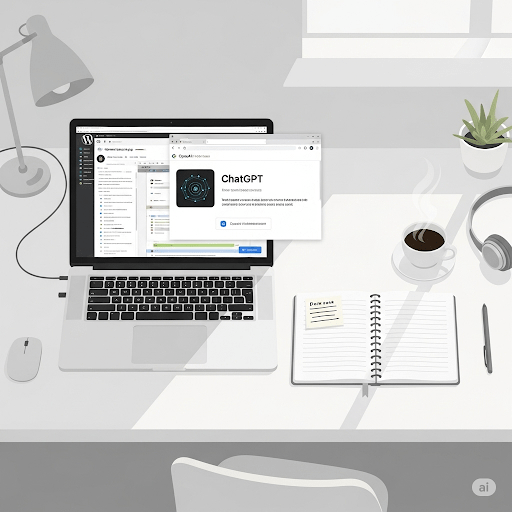
ChatGPT is a product — an app you can use to have conversations with AI. The OpenAI API is the underlying technology that powers ChatGPT. It allows developers or website owners to use the same intelligence in custom ways.

Think of ChatGPT as a finished tool, while the API is the set of building blocks behind it. Using the API gives you more control, flexibility, and the ability to deeply integrate AI into your workflow or website.

Do You Have to Pay to Use the API?

Creating an OpenAI account and generating an API key is free. When you sign up, OpenAI usually gives you a small amount of free credit (for example, $5) so you can test the service.

Once you use up that credit, ongoing use is billed. OpenAI charges based on how much data you process — this is measured in “tokens,” or chunks of text. If you’re only using it occasionally for small tasks, the cost is usually minimal.

However, for larger projects or frequent use, you will need to set a budget and attach a payment method. It’s easy to manage, and you can set usage limits to avoid surprises.

Can You Integrate the API into a WordPress.com Blog?

This is one of the most important questions, and the answer depends on which type of WordPress you are using.

If your blog is hosted on WordPress.com (not self-hosted WordPress.org), your ability to install plugins or custom code depends on your plan.

  • On the Free and Personal plans, you cannot install custom plugins or run custom JavaScript. That means you cannot directly integrate the OpenAI API into your blog.
  • On the Business and Commerce plans, you do have the ability to upload custom plugins and scripts. This allows for more advanced integration, including OpenAI-powered plugins.

That said, there are still ways to benefit from the API even on the free plan.

How Bloggers on Free Plans Can Still Use AI Tools

Even if you can’t directly embed the API, you can still harness the power of AI for your blog:

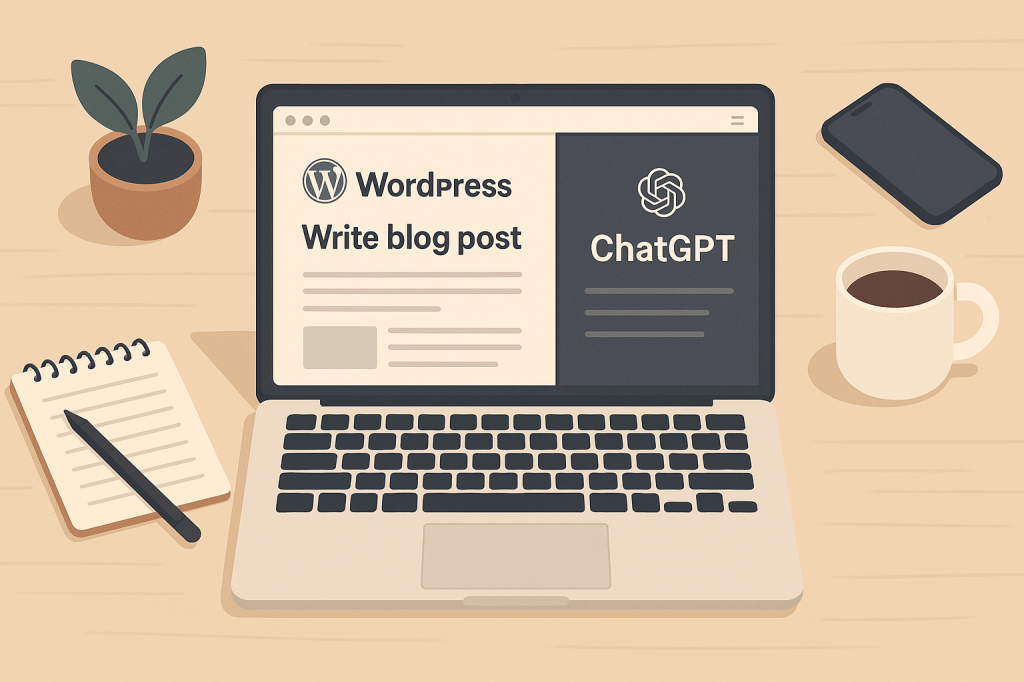
  1. Use ChatGPT or the OpenAI Playground externally to create drafts, titles, or summaries. Then copy the content into your blog editor.
  2. Use external chatbot builders like Tidio, Landbot, or Chatbase. These platforms often allow you to connect to OpenAI and then generate an embed code that you can paste into your WordPress post or page using a simple HTML block.
  3. Write offline with AI tools (such as Notion AI, Jasper, or GrammarlyGO), and upload polished content to your blog.
  4. Collaborate with GPTs in ChatGPT Pro, which allows access to tools and structured data workflows — then transfer results to your WordPress site.

In short: even on a free plan, you can work with AI as a creative partner. You just can’t embed its logic into your site’s backend without upgrading.

Is It Absolutely Necessary to Use the API?

Not at all.

You can be an outstanding, impactful blogger without touching a single line of code or generating an API key. But if your goal is to grow faster, scale your content production, or enhance your site’s functionality, then the API can be a powerful accelerator.

You may not need it today — but it’s worth knowing how it works and what’s possible, so you’re ready when you do.

Final Thoughts from Rise&Inspire

At Rise&Inspire, we believe technology should never overshadow creativity — it should support it.

The OpenAI API is not just a tech tool; it’s a creative partner. It won’t write your story for you, but it can help you tell it better, faster, and more often. Whether you’re just starting out or refining your voice, there’s no shame in using the tools that help you shine.

You don’t have to become a developer. You just have to stay curious — and keep creating.

Need help getting started with AI tools for your blog? Reach out or explore our upcoming guides on AI-assisted writing, SEO automation, and low-code chatbot builders.

Let’s Rise. Let’s Inspire. Let’s blog smarter.
Explore More at Rise & Inspire archive. | Tech Insights

Categories: Astrology & Numerology | Daily Prompts | Law | Motivational Blogs | Motivational Quotes | Others | Personal Development | Tech Insights | Wake-Up Calls

🌐 Home | Blog | About Us | Contact| Resources

📱 Follow us: @RiseNinspireHub

© 2025 Rise&Inspire. All Rights Reserved.

Word Count:1135

What Are the Best Free AI Alternatives to Premium Models for Bloggers?

Boost your blogging productivity without paying for premium AI! Discover top free, open-source tools like Mixtral, Mistral 7B, and LLaMA to supercharge your writing, content creation, and research — all at zero cost.

Top Free Tools for Bloggers

As AI continues to revolutionise content creation, many bloggers are faced with a dilemma: Should they invest in expensive, premium models, or are free AI tools sufficient for productive blogging?

The answer is no, you don’t have to pay for top-tier AI to stay productive. Free, open-source Large Language Models (LLMS) have come a long way and can deliver excellent results for writing, research, and content generation.

Why Premium AI Models Aren’t Always Necessary

Premium AI models such as GPT-4, Claude 3 Opus, and Gemini Advanced offer cutting-edge performance, but they often come with a price tag, either through subscription models or enterprise-level packages.

While free versions (like GPT-3.5 or Gemini Nano) provide great functionality, they may lack advanced features like:

Real-time browsing

File upload capabilities

Long-term memory or expansive context

However, for bloggers, these limitations often don’t matter much. Free, open-source models are increasingly powerful and accessible, offering great performance for most common tasks.

Top Free LLMS for Bloggers

If you’re looking to elevate your blogging game without spending money, here are the best free, open-source alternatives:

1. Mistral 7B

An efficient open-source model, perfect for writing and summaries.

Access: Mistral 7B

Use for: Content generation, summaries, and blog post drafts.

2. Mixtral 8×7 B

A mixture of experts model that offers performance close to GPT-3.5.

Access: Mixtral

Use for: Creative writing, long-form content, and blog research.

3. Meta LLaMA 3

Meta’s open-source flagship model, highly versatile for both writing and comprehension.

Access: LLaMA 3

Use for: Blogging, chatbots, and content ideation.

4. Google Gemini (Lite)

Lightweight, fast, and great for shorter content and brainstorming.

Access: Gemma

Use for: Quick blog post drafts, topic research, and summaries.

Chatbots & Interfaces to Help You Write Faster

For real-time assistance, these platforms offer instant access to free AI:

Poe by Quora

A platform that connects you to multiple models like GPT-3.5 and LLaMA.

Access: Poe.com

Use for: Idea generation, brainstorming, and interactive content creation.

HuggingChat

An easy-to-use chat interface with multiple open-source models.

Access: HuggingChat

Use for: Conversational help with your blog posts and quick content ideas.

OpenRouter.ai

Allows access to a variety of free models like GPT-4 and Claude for content generation.

Access: OpenRouter

Use for: Real-time writing and content optimisation.

Running Models Locally for Privacy

If privacy is important to you, try running models directly on your machine. This ensures no data is shared online, and you can fine-tune the models for your specific blogging needs:

LM Studio

Run models like Mistral and LLaMA locally.

Access: LM Studio

Use for: Secure, offline content creation and writing.

Ollama

A simple, one-command installation tool for local AI models.

Access: Ollama

Use for: Private blogging, local model execution.

Text Generation Web UI

A powerful platform for advanced users to run multiple models locally.

Access: WebUI on GitHub

Use for: In-depth customisation and offline usage for blog creation.

Which Tool Should You Choose?

Each tool and model has its strengths. Here’s a quick guide:

For blog writing and content creation, recommended tools include Mixtral, Mistral 7B, and LLaMA. When it comes to summarising articles, Mixtral, Mistral 7B, and HuggingChat are effective choices. For coding and debugging, LLaMA, Mixtral, and LM Studio are suggested. If your focus is on general conversation, Poe, HuggingChat, and OpenRouter are useful tools. For educational assistance, Phi-3, Mixtral, and Gemma are recommended. Finally, for those prioritising privacy and offline use, LM Studio, Ollama, and WebUI are solid options.

Final Thoughts

Free LLMS are not only a cost-effective option—they can help you supercharge your blogging productivity. Whether you’re writing long-form content, generating quick drafts, or brainstorming new ideas, these open-source tools offer powerful AI capabilities at no cost.

You don’t have to break the bank for access to premium models. Instead, explore these free options and find the one that best fits your needs. AI is here to stay, and with these tools, you can leverage its power while keeping your productivity high and your costs low.

Explore additional inspiration from the blog’s archive. |  Tech Insights

Categories: Astrology & Numerology | Daily Prompts | Law | Motivational Blogs | Motivational Quotes | Others | Personal Development | Tech Insights | Wake-Up Calls

🌐 Home | Blog | About Us | Contact| Resources

📱 Follow us: @RiseNinspireHub

© 2025 Rise&Inspire. All Rights Reserved.

Word Count:753

What Lies Beyond Chatbots? The AI Every Blogger Should Know

Rise & Inspire: Crafting Dreams, Igniting Spirits

Beyond Chatbots: 


Beyond Chatbots: The Al Blogger’s Toolkit

The Hidden World of AI Every Blogger Should Know

Introduction

When most bloggers hear “AI,” they picture tools like ChatGPT or Jasper—friendly chatbots that generate ideas, write drafts, or answer questions. And yes, these tools are amazing! But behind the scenes, there’s a whole universe of AI that’s less visible, yet far more powerful. Think of conversational AI as the tip of the iceberg. Today, let’s dive deeper and explore the real game-changer for creators: AI platforms like OpenAI API.

Part 1: What Bloggers Think AI Is

Conversational AI Tools (like ChatGPT, Claude, or Gemini)

  • What they do: Chat with you in plain language, generate blog outlines, suggest headlines, or even draft emails.
  • Why we love them: They’re simple, instant, and require zero technical skill. Type a prompt, get results.
  • The catch: They’re like a friendly robot assistant—great for everyday tasks but limited to what they’re programmed to do.

Part 2: What Most Bloggers Don’t Know About AI

AI Platforms (e.g., OpenAI API)

  • What they are: A behind-the-scenes toolbox for developers to build custom AI-powered apps, tools, or workflows.
  • How they work: Instead of chatting with a bot, developers use code to tap into powerful AI models (like GPT-4) and integrate them into websites, apps, or even your blog’s CMS.
  • Why it matters: This is how companies create tailored AI solutions—like auto-generating SEO metadata, moderating comments, or personalizing newsletters.

Key Differences at a Glance

Conversational AI /AI Platforms (APIs)

Ready-to-use chatbots/Building blocks for custom tools

Simple, no-code interface/Requires coding (or a developer)

Generic outputs/Customizable for specific needs

Great for quick tasks/ Powers complex, automated workflows

Analogy:

  • Conversational AI = ordering a coffee at a café.
  • AI Platforms = owning the coffee machine, beans, and recipes to brew exactly what you want.

Why Should Bloggers Care?

Even if you’re not a tech expert, understanding AI platforms can:

  1. Spark collaboration: Partner with developers to create tools specific to your blog (e.g., auto-translate posts for global readers).
  2. Save time: Automate tedious tasks (e.g., generating alt text for images, analyzing reader feedback).
  3. Future-proof your skills: AI is evolving fast—knowing the basics keeps you ahead.

Real-World Example:

A food blogger could use OpenAI API to:

  • Build a custom recipe generator (input “vegetarian + 30 minutes” → get a unique recipe).
  • Auto-respond to common reader questions (e.g., substitutions for ingredients).

“But I’m Not a Developer!” – Here’s the Good News

You don’t need to code to benefit from AI platforms!

  • Learn the basics: Understand terms like “API” or “model training” to communicate your ideas to developers.
  • Use no-code tools: Platforms like Zapier or Bubble can connect APIs to your blog without writing code.
  • Stay curious: Follow AI trends to spot opportunities for your niche.

Final Takeaway

AI isn’t just chatbots—it’s a creative partner waiting to be molded. While conversational tools are a fantastic start, the true power of AI lies in platforms that let you build solutions as unique as your blog.

Your Next Step:

  • Play with ChatGPT, but also explore tools like OpenAI’s GPT Store to see what others are building.
  • Ask yourself: “What repetitive task could AI automate for me?”

FAQ (For the Curious Blogger)

  • What’s an API?
    It’s a messenger that lets different software talk to each other (e.g., connecting GPT-4 to your WordPress site).
  • Do I need coding skills to use AI platforms?
    Not necessarily! Many no-code tools act as middlemen.
  • Is this expensive?
    Many platforms offer free tiers for small projects.

Inspiration:

The best blogs solve problems. With AI platforms, you’re not just using tools—you’re creating them.

Let me know if you’d like to dive deeper into any section!

🌐 Home | Blog | About Us | Contact| Resources

📱 Follow us: @RiseNinspireHub

© 2025 Rise&Inspire. All Rights Reserved.

Word Count:645